Bases has no setting that freezes a column, as of October 2026. Forum users report that a base file keeps its header row in view, and a CSS snippet does that for embedded bases. Nobody in the threads got the first column to stay with CSS alone.
Updated · 4 ways compared · 9 sources
Background
Three forum requests ask for this. Bases: Ability to pin / freeze columns, from June 2025, has 52 likes and 10 posts. The request for frozen table headers, from July 2025, has 41 likes. A third topic, from November 2025, compares the idea to freeze panes in Excel.
The use case is the same in all three. Scroll right in a wide base and the file name is gone, so you can't tell which row you're editing. Two posters write that they tried a CSS workaround for the column and couldn't make one.
4 ways to do it
What core Obsidian does today
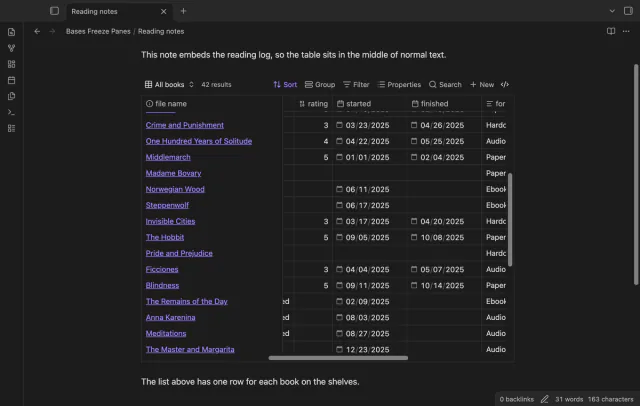
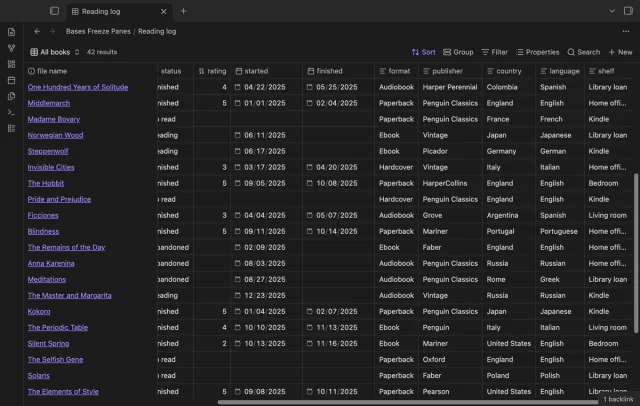
A forum reply from May 2026 says base files already have a sticky header by default. The header scrolls away only when a base is embedded in a note, because the note scrolls and not the table.
For columns, the Table view help page lists two keys. Home goes to the first column and End goes to the last, so you can jump back to the file name.
limits
No setting pins a column or the header. As of October 2026 the Table view page lists row height as the only view setting.
The same reply gives the fix. Set a max-height, 600 pixels in the example, on the .bases-view element inside .bases-embed. The table then scrolls inside its own box and the header stays on top.
A second rule gives div.bases-thead a background color, so rows don't show through the header. Save both rules as a CSS snippet and turn it on in Settings, under Appearance.
limits
It keeps the header only. In the column thread, two posters report that their CSS attempts for the first column failed, in August 2025 and January 2026.
Bases Paginator is a community plugin that adds a Paginated table view to Bases. Its README lists a sticky header option that keeps the column names visible while you scroll. The view also works in an embedded base.
limits
The README says the view can't edit cells. It names no option for a frozen column.
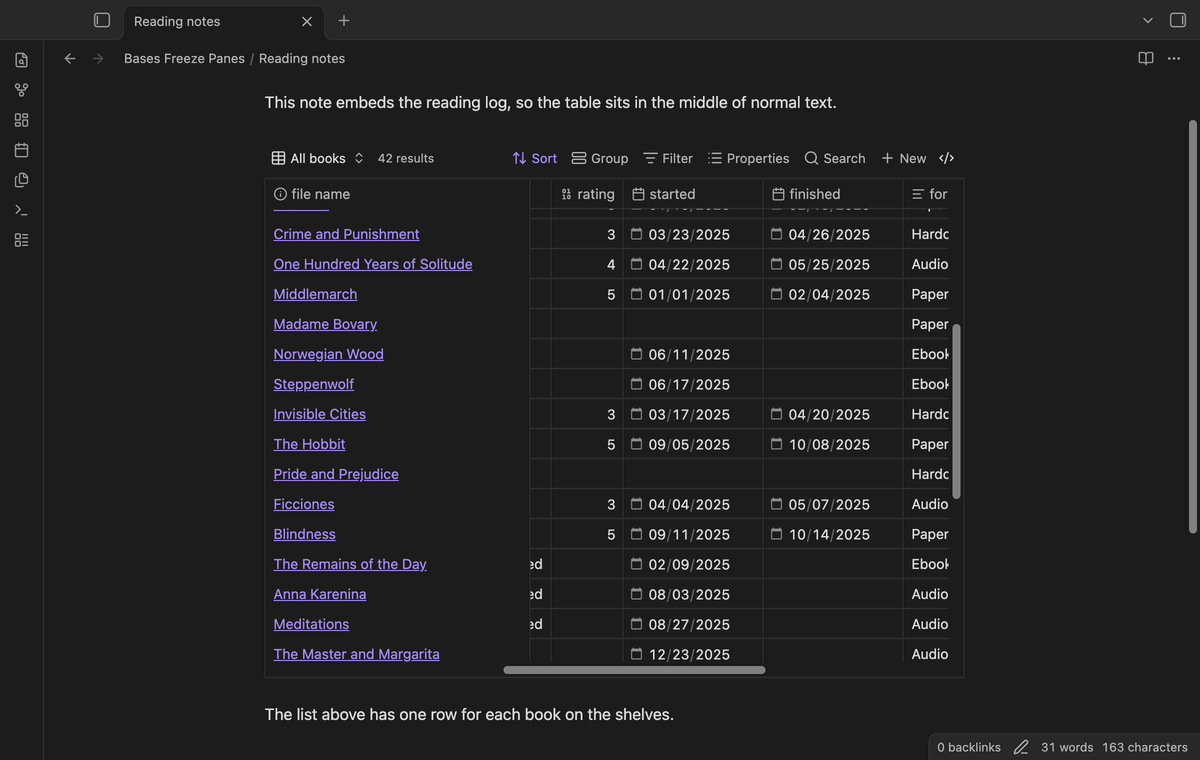
Bases Freeze Panes keeps the header row and the first column of a Bases table in view while you scroll. It works in base files, embedded bases and base code blocks, in Reading view and in Live Preview. It changes how the table looks on screen and leaves your notes and base files alone.
Its README explains why CSS alone fails for columns. The core table draws only the cells in view, so the cells of the first column leave the page when you scroll right. The plugin keeps those cells on the page and pins them.
limits
The free version freezes the header row and one column, and more columns need Pro. The column freeze uses no public interface of the table, so a future Obsidian update can stop it.
Freeze the header and first column with Bases Freeze Panes
Install Bases Freeze Panes from Community plugins and enable it. It needs Obsidian 1.13.4 or later and the Bases core plugin.
Open a wide base and scroll down and to the right. The header row and the first column stay in place.
To choose which column stays, change the column order in the base. The first column is the frozen one.
For a base embedded in a note, set Embedded table height in the plugin settings. The default is 500 pixels, and a taller table scrolls inside that box.
To freeze 2 or 3 columns, or the last column, change Frozen columns or Freeze the last column in the settings. Both need Pro.
To compare with the normal table, run the command Turn frozen panes on or off.
Common questions
Has anyone frozen a Bases column with CSS only?
Not in the three forum threads, as of October 2026. Two posters say they tried and couldn't. The Bases Freeze Panes README gives a reason. The core table draws only the cells in view, so a column you scrolled past has no cells left to pin.
Does the header stay in view for a base inside a note?
Not by default, but you have two fixes. The CSS snippet from the forum sets a max height on the embedded base. Bases Freeze Panes does it with a setting, 500 pixels by default, and short tables keep their normal height.
Can I turn the freeze off for one base?
Yes. The command Turn frozen panes on or off for the current file is free. The command that sets a column count for one file needs Pro.
The Views help page, read in October 2026, describes how to add filters, but no way to switch one off. In core Bases you delete a filter and add it again, or you keep one view for each filter. Two community plugins add a real toggle.
Bases can't list the checklist tasks inside your notes on its own, as of October 2026. A base row is a file, and an Obsidian developer wrote in 2025 that Bases doesn't read file contents. You can make each task its own note, or add a community view for Bases that reads the task lines.