How to make footnotes work in callouts and tables in Obsidian
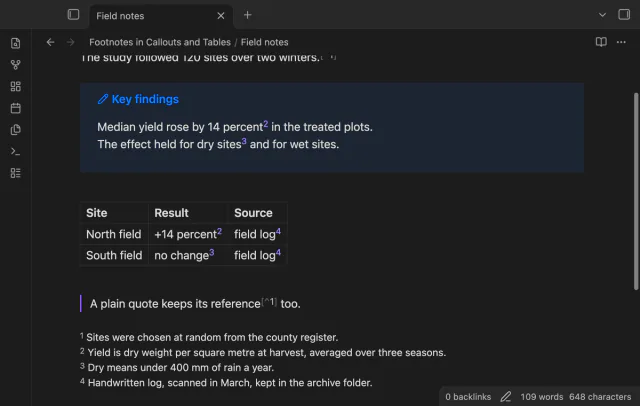
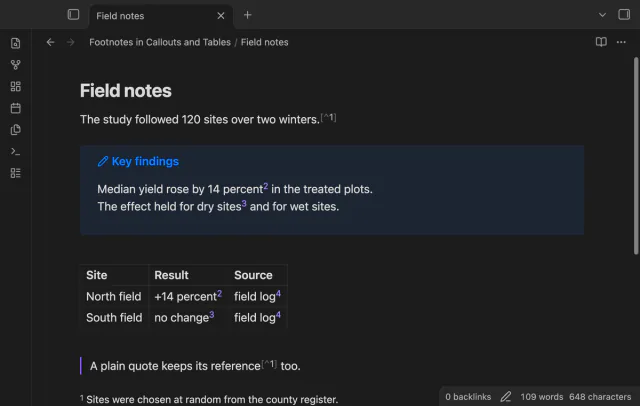
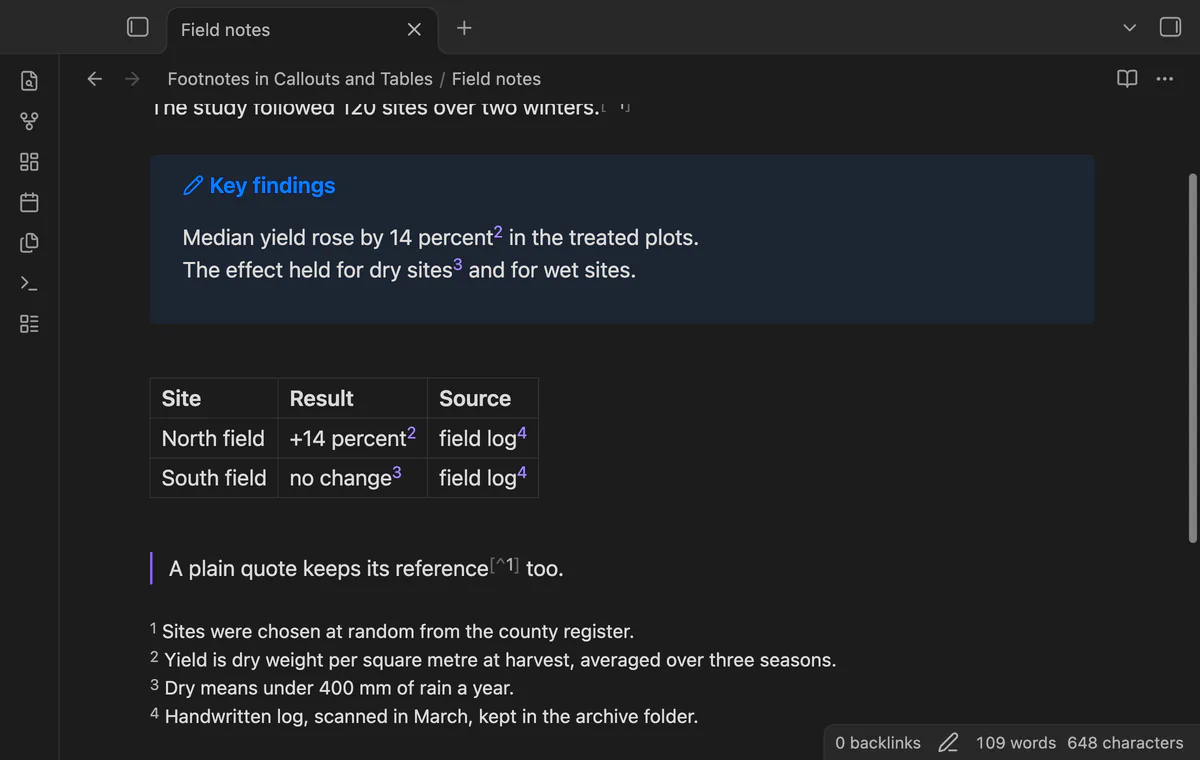
As of October 2026, Obsidian draws footnotes in callouts and tables as links only in Reading view. In Live Preview the reference shows as a bare number or word, and three forum requests for a fix are still open. To get links while you edit, use Footnotes in Callouts and Tables, or read definitions in the core Footnotes view.
Updated · 4 ways compared · 19 sources
Background
The forum request for footnotes in callouts dates from 27 April 2022. Its first post has 28 likes, and the topic has 25 posts. The request for footnotes in tables followed on 1 September 2022, with 27 likes on its first post and 26 posts.
Both topics are open in the Feature requests category. A December 2025 reply says a footnote in a callout shows as a number appended to the text, with no formatting or link. A reply of 1 September 2026 on the table topic still hopes for a fix. A third request, from February 2024, has 17 likes on its first post.
4 ways to do it
Reading view, alone or side by side
Reading view draws a footnote in a callout or a table cell as a normal footnote. Posters on both forum topics report this. Press Ctrl+E, or Cmd+E on macOS, to switch to Reading view.
To see both at once, hold Ctrl, or Cmd on macOS, and click the view switcher. The note then opens in Editing view and Reading view at the same time.
limits
The link is in the pane where you read, not in the pane where you type. A poster wrote that Source mode shows the raw reference, with no number.
Footnotes view is a core plugin that lists all footnotes in the active note. Click a footnote to edit its text, or go to its position in the note. It needs no community plugin.
A poster found in December 2025 that a plain block quote does better than a callout. With the callout type removed, the footnote showed as a footnote in Live Preview too.
limits
The view is a list beside the note, and its help page names no change inside callouts or tables. A plain quote is no longer a callout, and the trick does not help in a table.
Footnote Shortcut has about 147,000 downloads in the community directory. With the cursor on a reference, its hotkey opens the definition in a popup at the cursor. On a definition, the same hotkey jumps back to the reference.
Better Footnote, with more than 6,000 downloads, gathers the footnotes of a note in a right sidebar. Number Suite shows footnote references as numbers in Live Preview and leaves the Markdown unchanged.
limits
None of the three READMEs says that it draws a reference inside a callout or a table cell as a link. The hotkey works from the cursor, so you first click into the callout or the cell.
Footnotes in Callouts and Tables swaps the bare label in a callout or a table cell for a numbered link. Rest the pointer on the link to read the definition, and click it to go there. A click on a link in a table does not start editing the cell.
The links, the hover preview and the jump are free. A footnote panel, a way back from a definition, and warnings for unused and missing footnotes need Pro.
limits
It works in Live Preview only, and it does not handle inline footnotes or footnotes in embedded notes. A reference in the title line of a callout stays as Obsidian drew it.
Get footnote links in callouts and tables with the plugin
Install Footnotes in Callouts and Tables from Community plugins and enable it. It needs Obsidian 1.13.4 or later.
Write the reference as [^label] inside a callout or a table cell.
Write the definition as [^label]: text on its own line, anywhere in the note.
Open the note in Live Preview. The reference shows as a raised number.
Rest the pointer on the number to read the definition in a popup.
Click the number to go to the definition. The line shows a color for a moment.
Common questions
Is this a bug in Obsidian?
The forum files both topics under Feature requests. A poster wrote in June 2025 that it is a bug fix more than a feature request. Either way, both topics are still open in October 2026.
Do inline footnotes work in a table in Live Preview?
The Obsidian help page says inline footnotes only work in Reading view, not in Live Preview. Two posters on the table topic report that an inline footnote in a table cell did show, in January 2023 and September 2025. Footnotes in Callouts and Tables does not handle inline footnotes, so test this in your own vault.
Can a CSS snippet fix footnotes in callouts?
The three forum topics hold one snippet, from June 2025. It styles references in normal lines, and its author says they are not clickable. None of the topics has a snippet for callouts or tables.
Does the plugin work on mobile?
The directory lists it for desktop and mobile. Its real-app test runs on desktop Obsidian only, so mobile is untested. The popup opens when a pointer rests on a link.
Obsidian's help site, read in October 2026, describes no way to merge Markdown tables from several notes into one table. Bases builds its rows from files and its columns from properties, and Dataview doesn't read tables either. You can move the rows into properties, write SQL with SQLSeal, or add a Bases view that reads the tables.
Obsidian's own line numbers give a wrapped paragraph one number, and its Settings help page lists no relative numbers, as of October 2026. Free plugins add relative numbers, but they count lines, so a counted gj won't match the gutter. To number each wrapped row you need Visual Line Numbers, or you keep counted moves on whole lines.