Search Operators
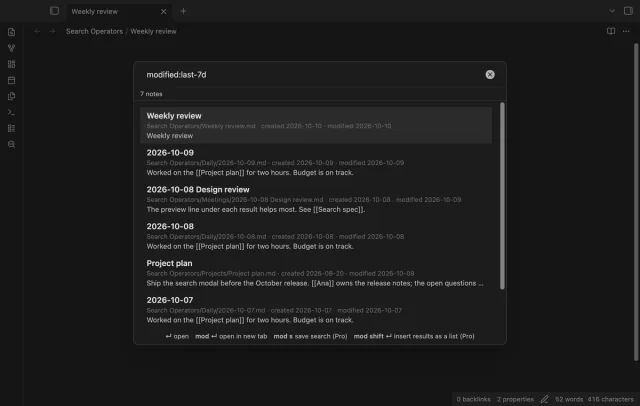
Find a note by when you made or changed it and by what it links to, with a preview line per result.
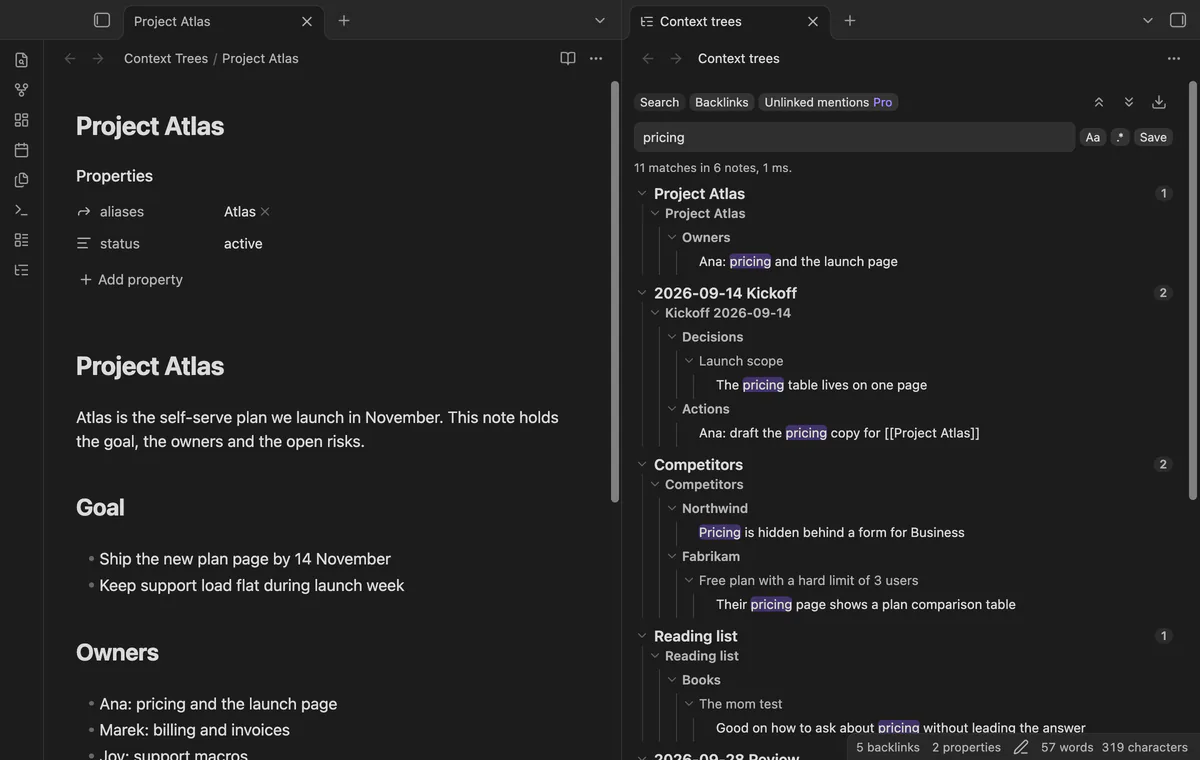
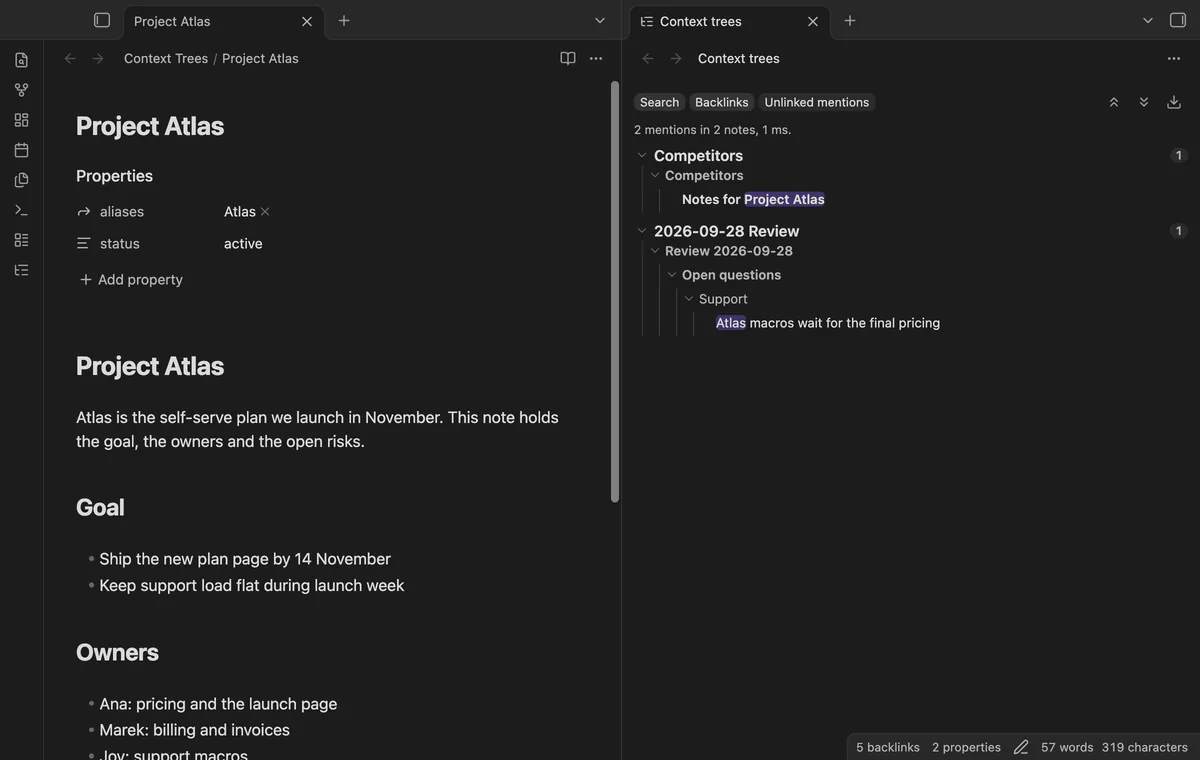
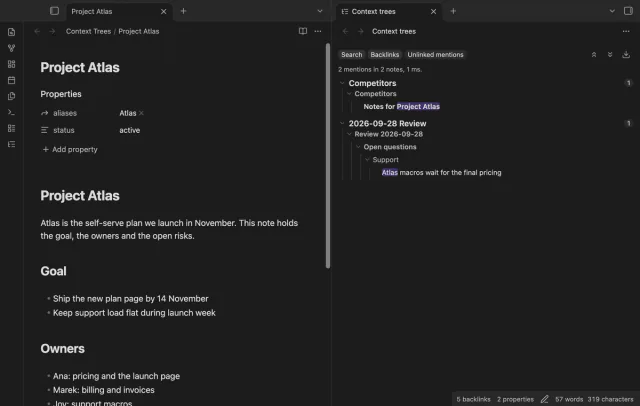
See the headings and parent list items above each search result and backlink, in one side view.
MIT · no telemetry · core features free
The end-to-end test setup runs the desktop app at Obsidian 1.13.4 and at the latest version. The directory lists the plugin for mobile, and no mobile test exists yet.
Directory facts fetched from community.obsidian.md/users/theluckystrike.
You write notes as outlines or long documents, and a matching line alone doesn't tell you what it belongs to.
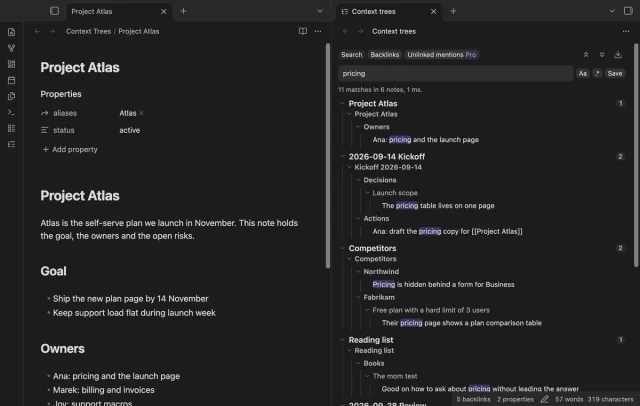
The core Search and Backlinks panes show the matching text and, with Show more context, more text around it. In a nested list, that line often means little without the items above it. Context Trees is a side view that puts each hit under its headings and parent list items.
Hits that share a parent show that parent once, so a note with five matches reads as one small outline. The view opens in the right sidebar and doesn't change the core panes. Search, backlinks, folding and open at the line are free.
 Play demo

Type a word or a quoted phrase, and the view lists each note that has every word on one line. Each note shows a tree with the headings above the match, then the parent list items, then the line with the hit marked. Two matches in the same list share the parents above them.
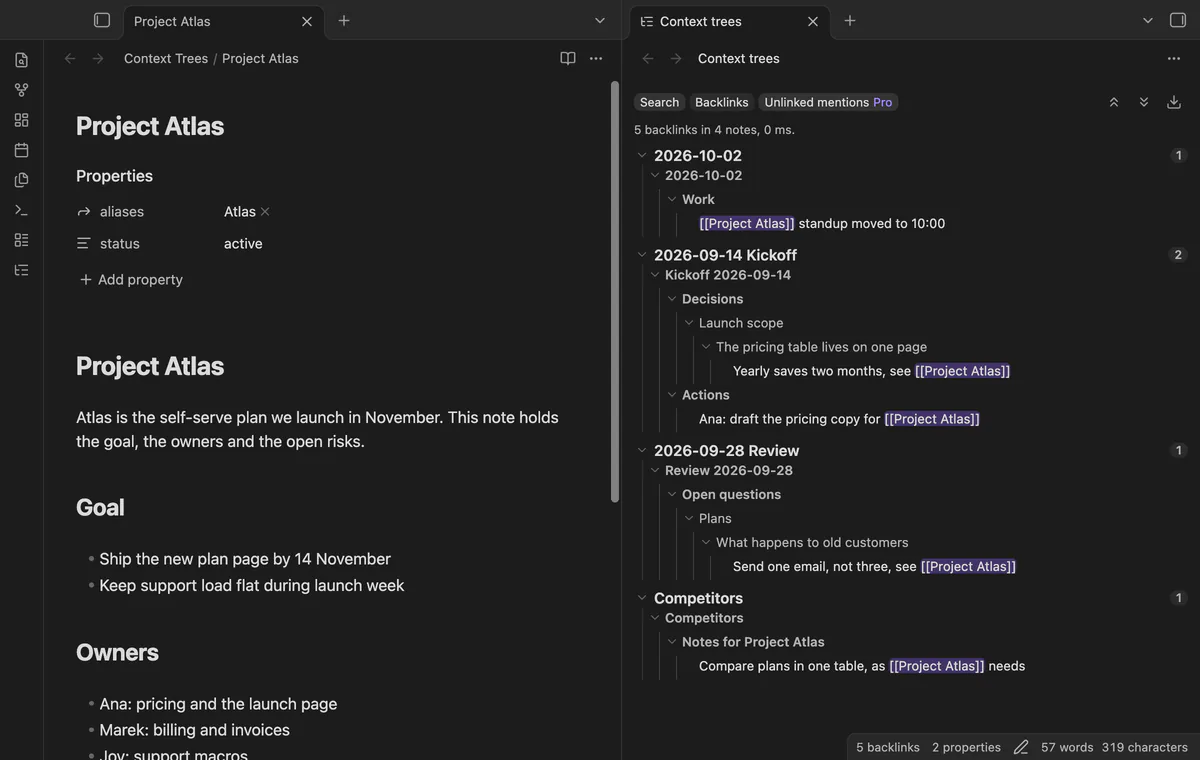
Open the Backlinks tab to see the notes that link to the open note. Each linking line comes with its heading path and its parent items, so you see why a note links here. The view follows the open note, and embeds count as links.
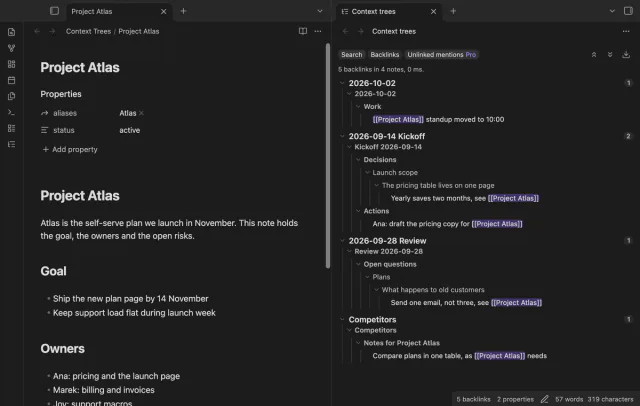
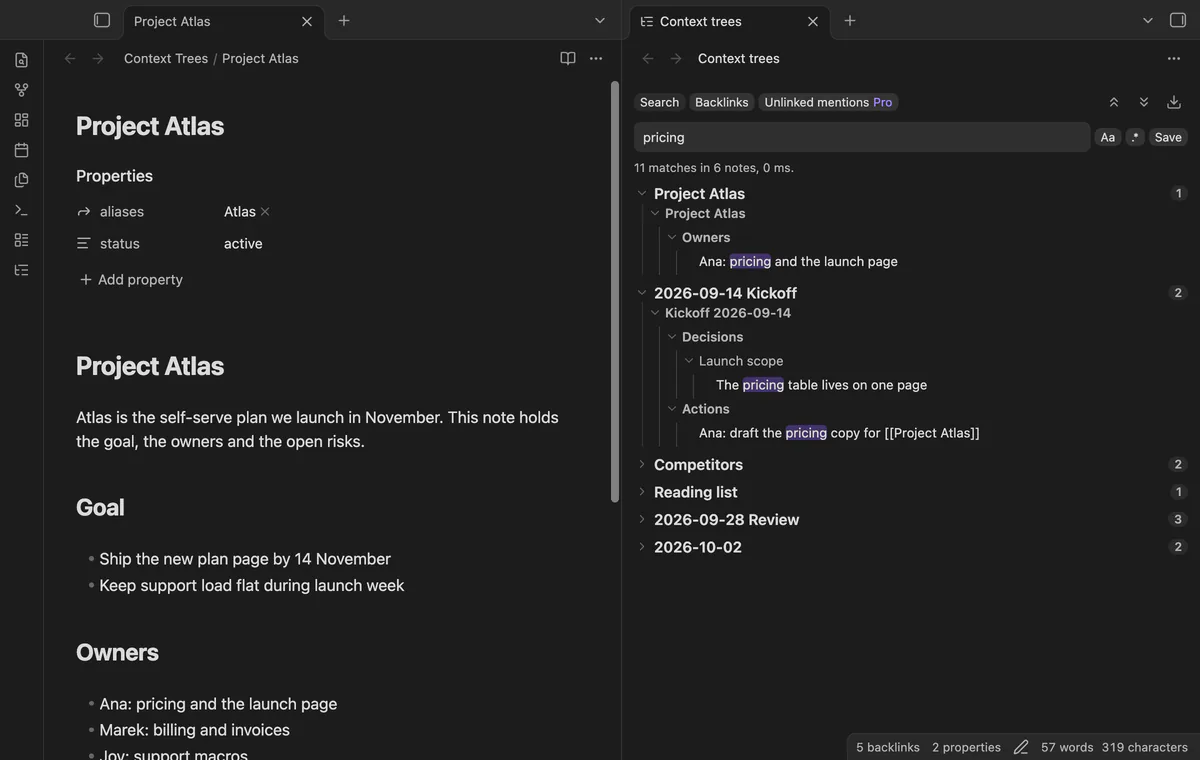
Select the arrow of a note or of a branch to fold it, or use the two buttons above the results for everything. Select a line to open its note with the cursor on that line. Hold Ctrl, or Cmd on macOS, to open it in a new tab.
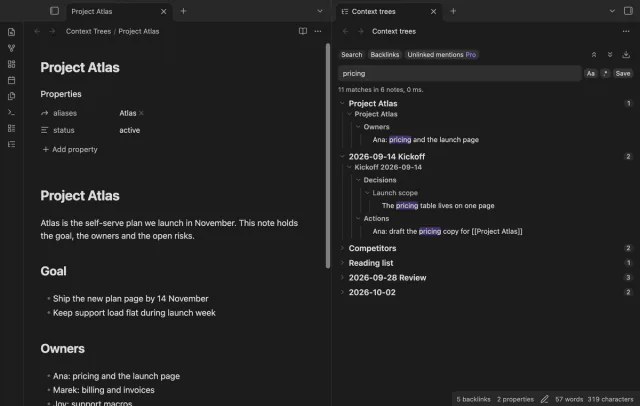
The Aa switch makes the search match case. Three commands open the view, put the cursor in the search box, and show the backlinks of the current note. The settings set the search delay, the notes per page, and whether notes start folded.
The free version has search, backlinks, folding, open at the line and the Match case switch, with no cap on notes or matches.
Pro costs $5 a month or $15 one time through GitHub Sponsors. One sponsorship turns on Pro in all 18 plugins.
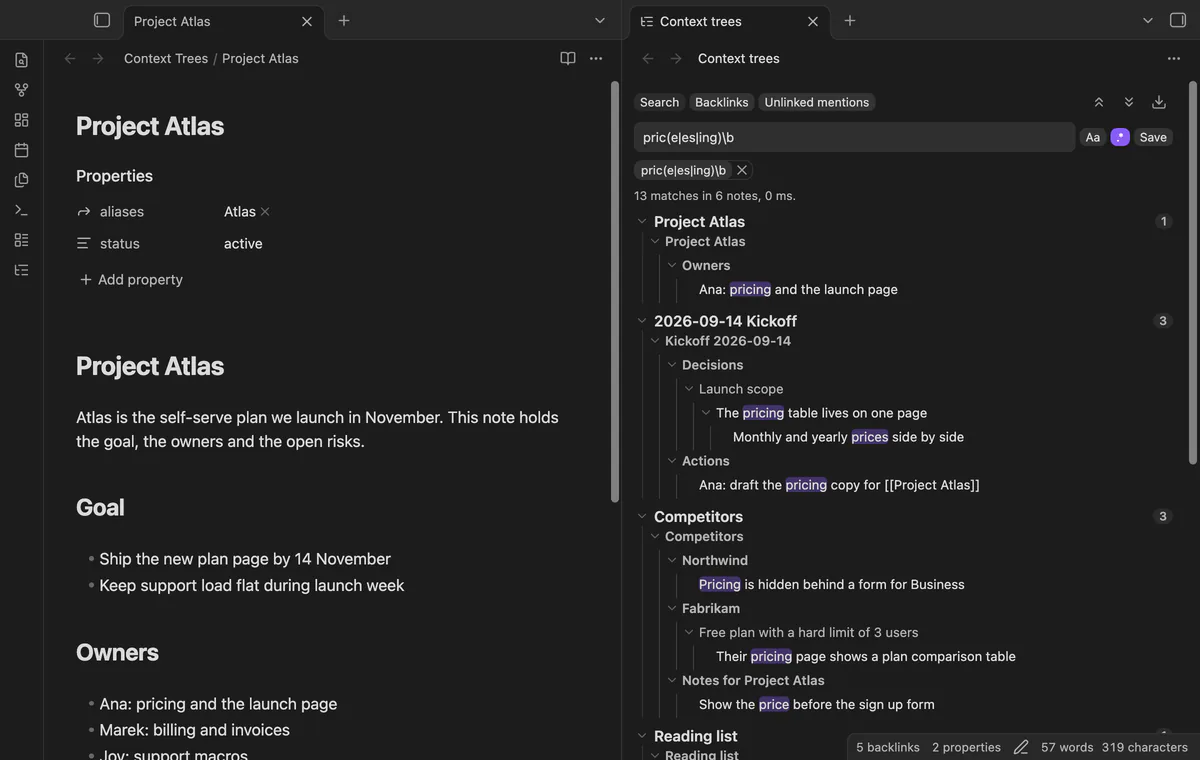
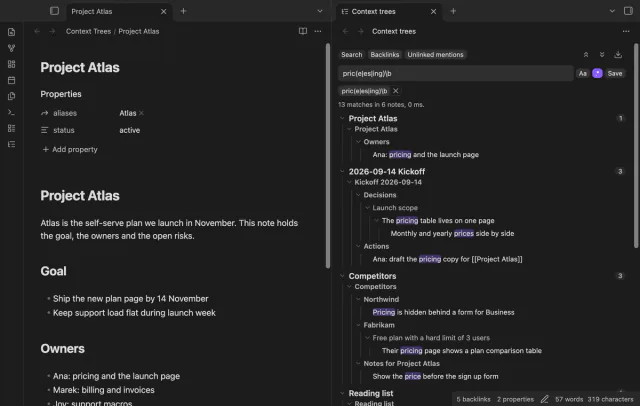
Switch on the regular expression button to test each line against a pattern, and a bad pattern shows an error. Select Save to keep a query and its switches as a chip above the results, up to 50 chips. Select a chip to run it again, or its cross to delete it.
The Unlinked mentions tab lists the notes that name the open note, or one of its aliases, as plain text. The name must be a whole word, and text that already is a link doesn't count. Each mention shows its context tree.
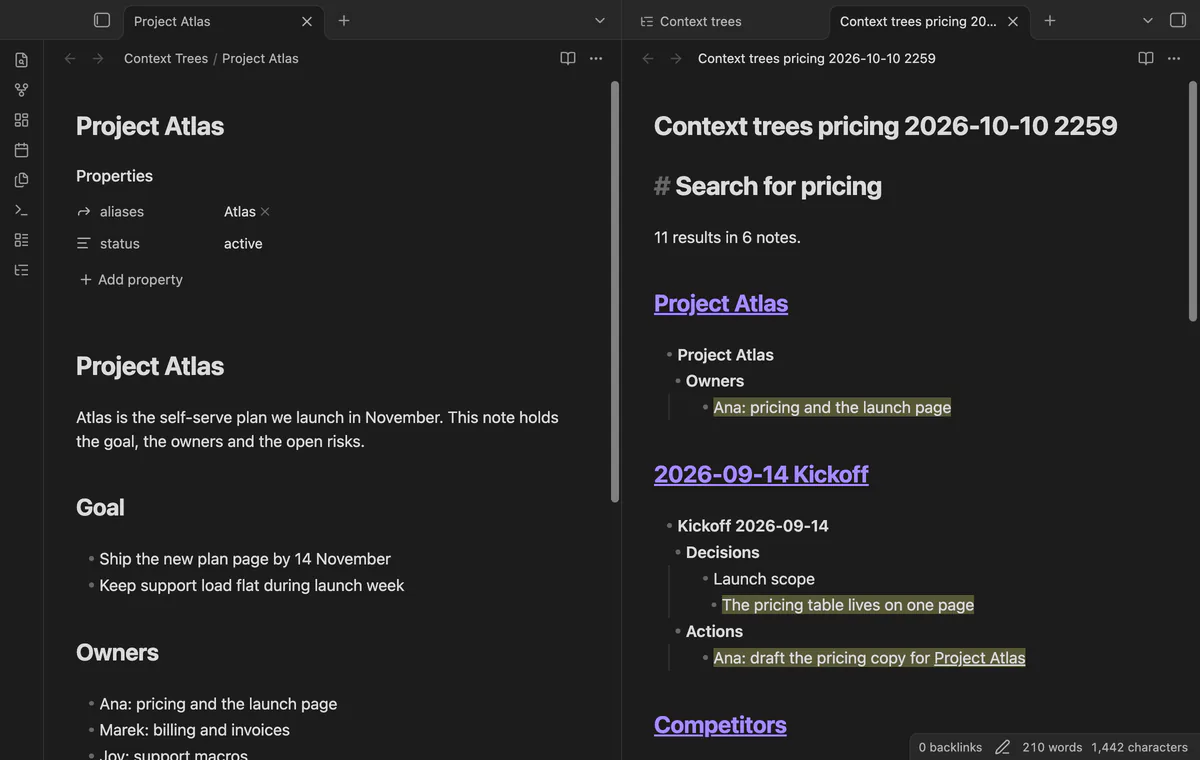
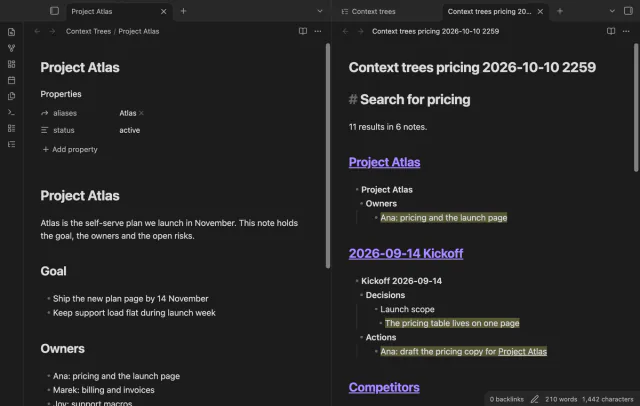
The download button, or the command Export the results as a note, writes the current results to a new Markdown note. Each result note is a heading with a link, and its tree follows as a nested list. The matching lines are highlighted with ==.
needs
steps
Install Context Trees from Community plugins and enable it.
Select the tree icon in the ribbon, or run the command Open the side view. The view opens in the right sidebar.
Type in the search box and wait a moment, or press Enter.
Select Backlinks to see the links to the open note.
Run the command Search the vault to open the view with the cursor in the search box.
If the app can't find a new plugin yet, try again later. Obsidian says a plugin that passes the review shows in the app within 24 hours.
A forum request from October 2022 asks Backlinks and Search to show parent list items and heading breadcrumbs, and it has 78 likes. Better Search Views does this inside the core panes, has about 50,000 downloads, and had its last release in December 2024.
How to show the headings and parent list items of search results and backlinks in Obsidian
path: and tag:, is not available in Context Trees. Context Trees searches the text of each line.The core Search pane shows the matching text and, with Show more context, more text around it. Context Trees adds a side view where each match sits under its headings and parent list items. Select a line there to open the note at that line.
No. It only reads notes, and Export creates a new note. The core Search and Backlinks panes work as before, because Context Trees is a separate view.
No. The syntax of the core search, such as path: and tag:, is not available here. Context Trees searches the text of each line, and every word of your query must be on one line. The core Search pane still takes those operators.
The end-to-end test builds a vault of 2,000 short notes and fails if the first results take 1 second or more. The view reads notes in batches and draws the first page as soon as a batch has a match. Times on your vault depend on its size and on your device.
The directory lists it for desktop and mobile, and the plugin isn't marked desktop only. The end-to-end tests run on the desktop app only. Report a phone problem in the GitHub issues of the plugin.
Context Trees makes no network requests until you select Sign in with GitHub in the settings. After sign in, it asks GitHub about your sponsorship at most once every 7 days, or when you select Refresh. It sends no note content, file names or other vault data, and it has no telemetry.
Context Trees 1.0.0, MIT license
MIT · no telemetry · core features free
Find a note by when you made or changed it and by what it links to, with a preview line per result.
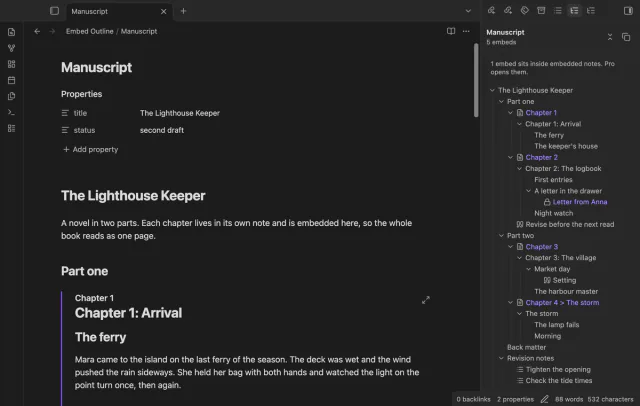
One outline for a note built from embeds, with each chapter's headings under its embed.
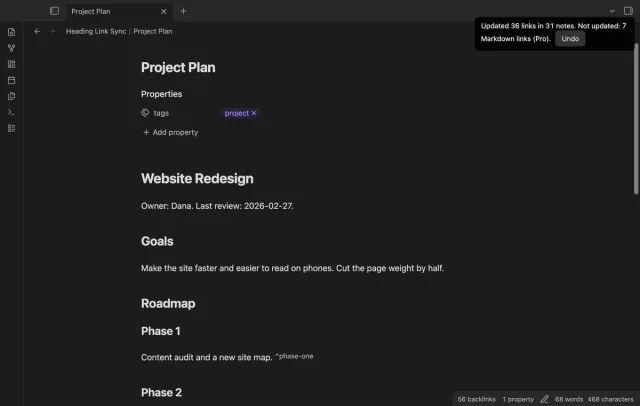
Retype a heading and the wikilinks and embeds to it in your other notes follow, with no rename dialog.