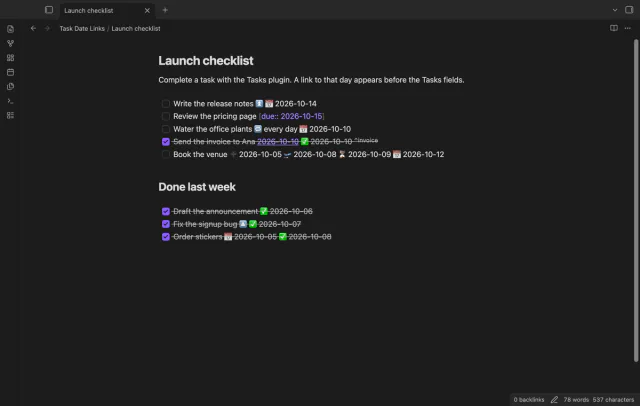
Task Date Links
Complete a task and it links to that day, so the daily note lists it in its backlinks.
Start, stop and switch your Toggl Track timer from a note, and see today's total in Obsidian.
MIT · no telemetry · core features free
The directory lists the plugin for desktop and mobile, and its tests run in the desktop app only, with a stand-in for Toggl. No test in the repository ran on a phone or tablet, and none calls the real Toggl service.
Directory facts fetched from community.obsidian.md/users/theluckystrike.
You track time in Toggl Track and want to start and stop the timer from the note you write in, without opening another app.
Mobile Timer for Toggl Track starts, stops and switches your Toggl Track timer from a note, and shows the running timer and today's total. It uses the request function that Obsidian gives to plugins and no Node module. The directory lists it for desktop and mobile, and it is tested on desktop only.
The other plugins on this site contact only GitHub. This one also talks to a third-party service, Toggl Track, with your own API token. Toggl and Toggl Track are trademarks of their owner, and Toggl does not make or endorse this plugin. The timer, the panel, the day total and one default project are free, and Pro adds pickers, reports, edits and an offline queue.
 Play demo
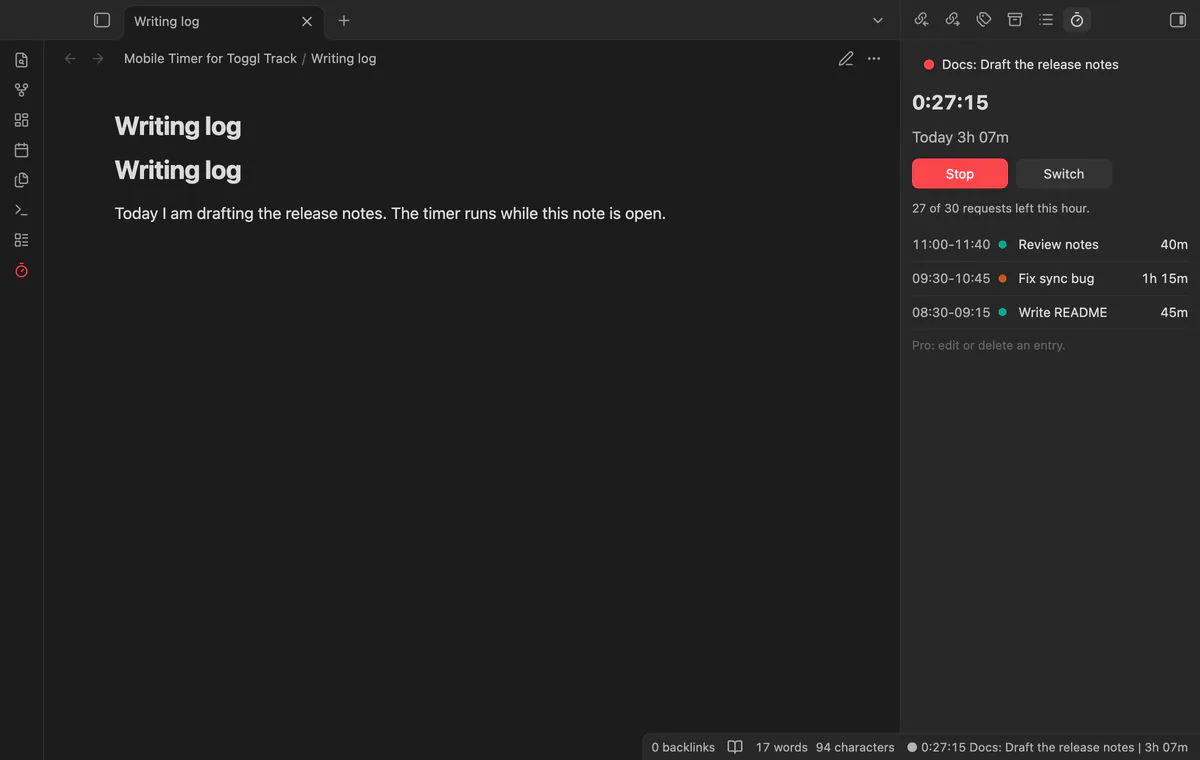
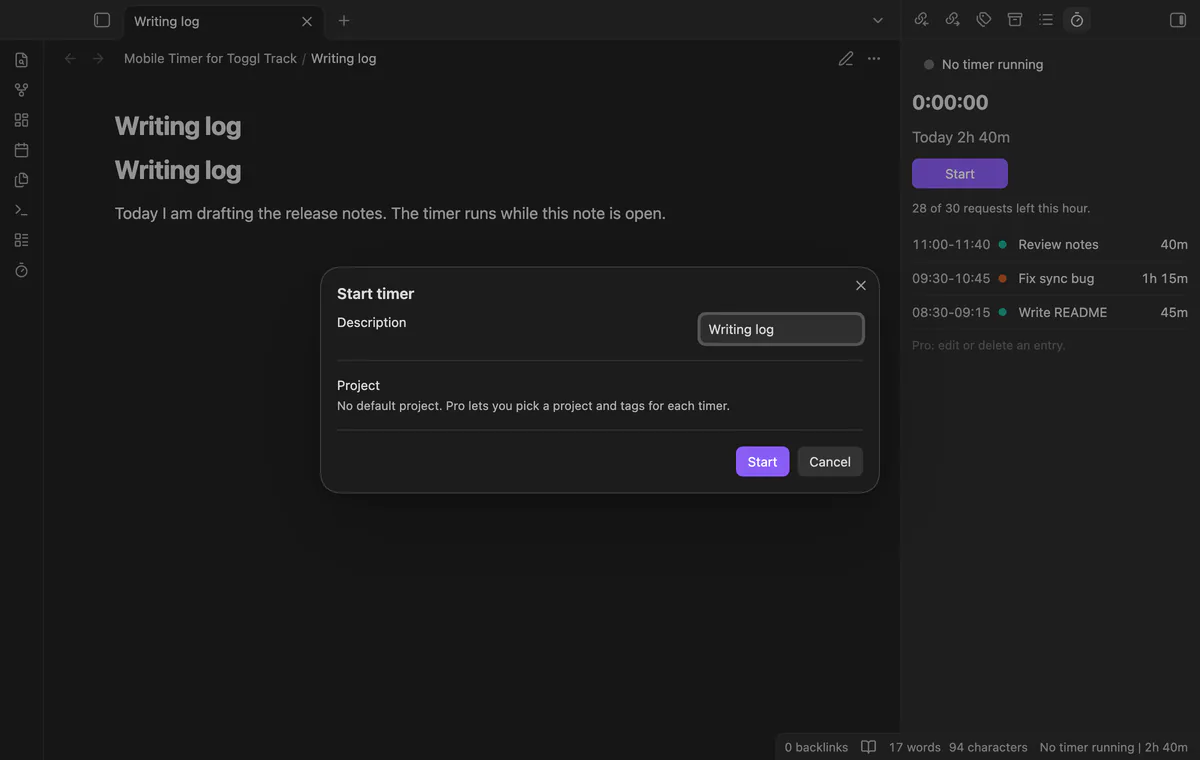
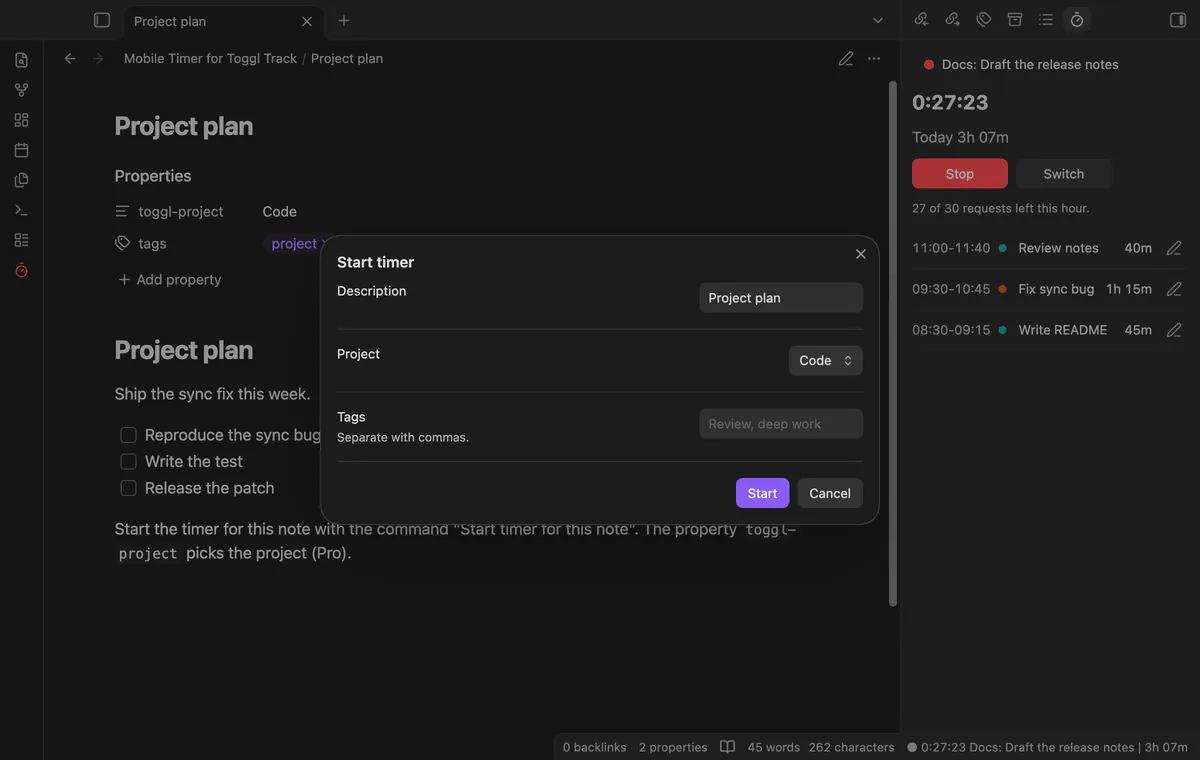
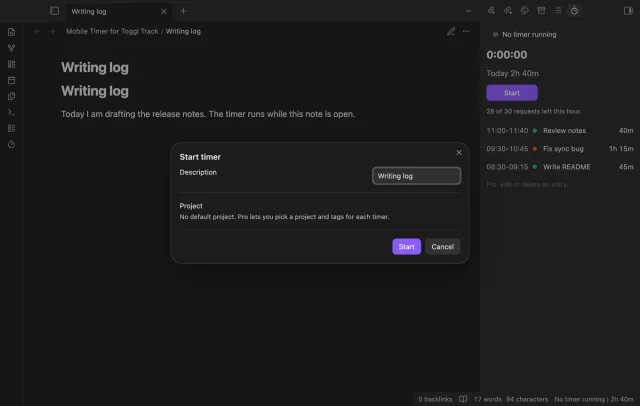
Run Start timer, and a window asks for a description and offers the name of the open note. Stop timer stops it, and Switch timer stops the running timer and starts a new one. Start timer for this note starts at once with no window, with the one default project from the settings.
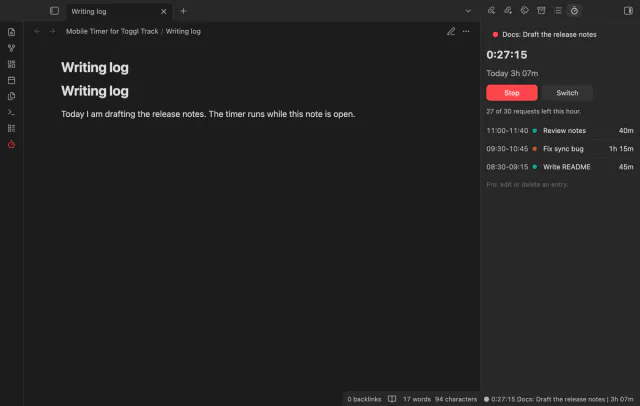

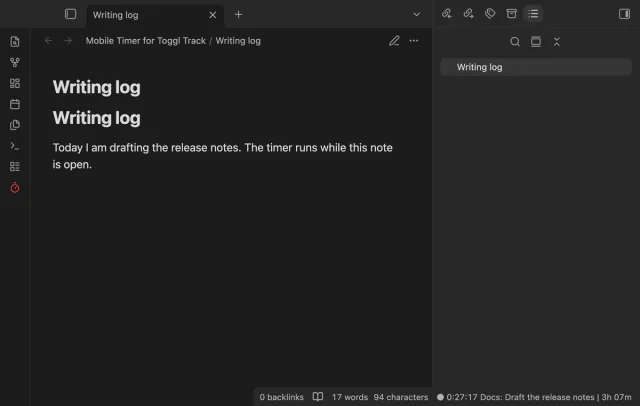
The command Open timer panel shows the running timer, its clock, today's total, the buttons and up to 25 finished entries of today. The ribbon button starts or stops the timer and turns red while a timer runs. The clock counts from the start time that Toggl holds, so it needs no request each second.
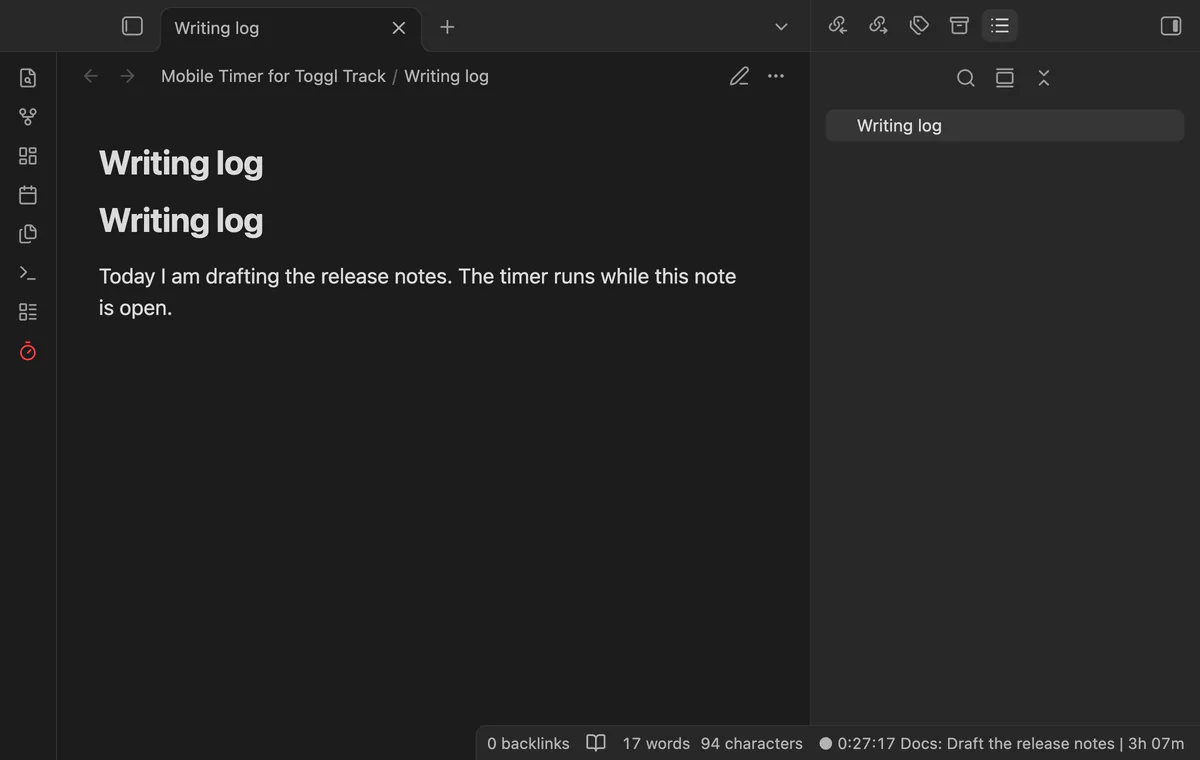
On desktop the status bar shows the clock, the project and description, and today's total. Select it to open the panel, or turn it off in the settings. The plugin adds no status bar item on mobile, where Obsidian does not support one.
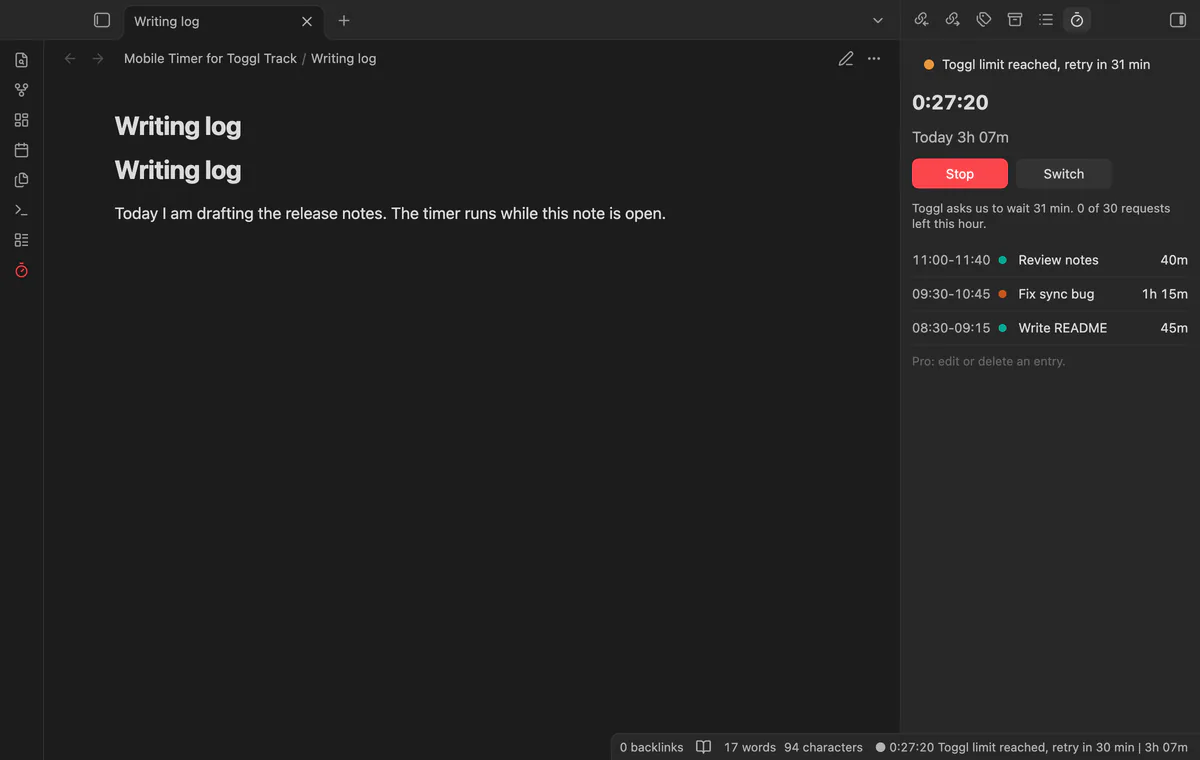
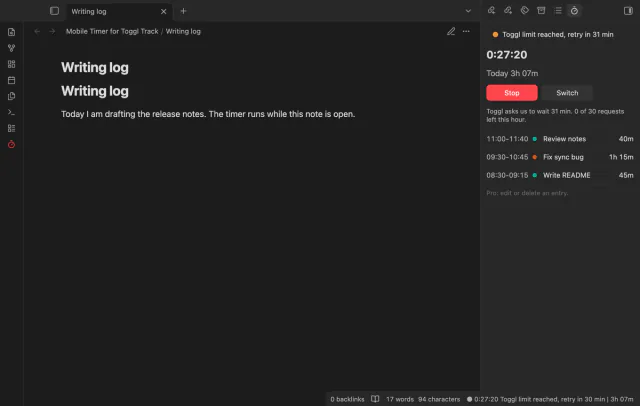
The Toggl free plan allows 30 requests an hour, and the plugin counts each one. A background refresh costs one request, Start and Stop cost one each after the first start, and Switch costs two. Background refreshes stop when 8 requests are left, and after HTTP 402 or 429 the plugin waits and shows how long.
The free version has no time limit, and each timer gets the one default project that you choose in the settings.
Pro costs $5 a month or $15 one time through GitHub Sponsors. One sponsorship turns on Pro in all 18 plugins.
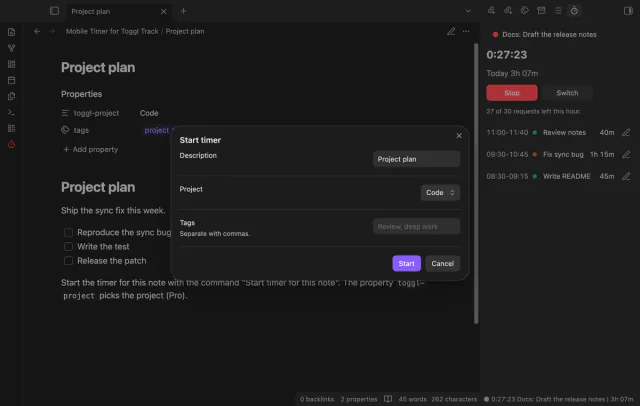
With Pro the Start window has a project list and a tags field, with up to 10 tags for a timer. A note can set its own project with a property named toggl-project, which holds the name of an active project. The property works after the plugin has loaded your project list, for example with Load projects in the settings.
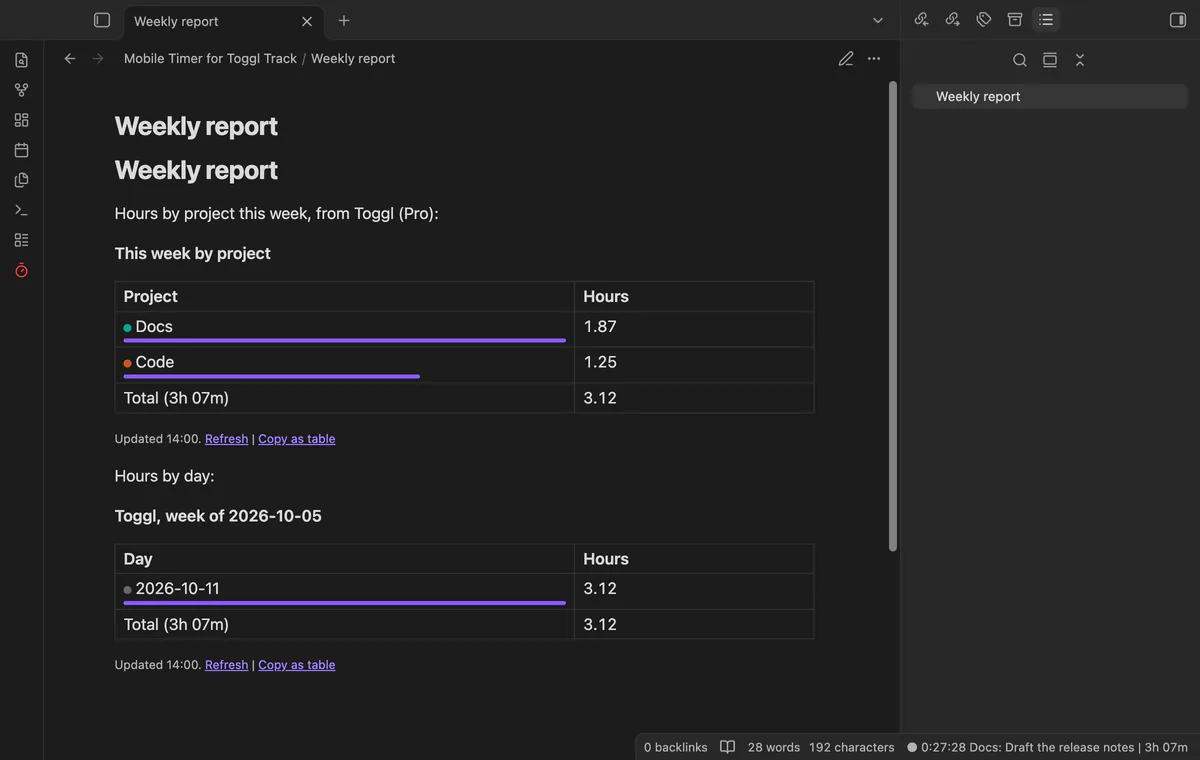
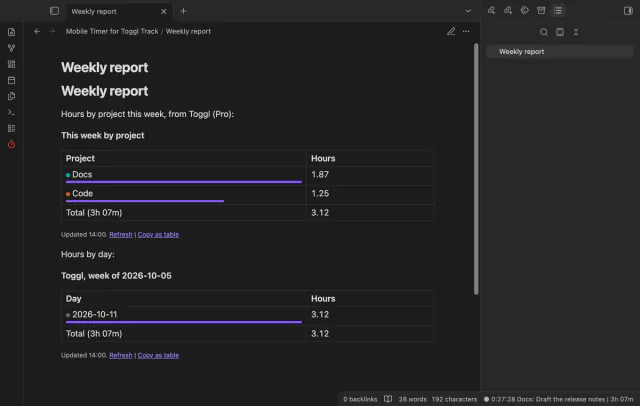
A toggl-report code block draws a table of hours by project, day or description. The range line takes today, yesterday, last7, week, month, or two dates up to 366 days apart. One request fills the table for a range, and the plugin keeps the answer for 15 minutes.
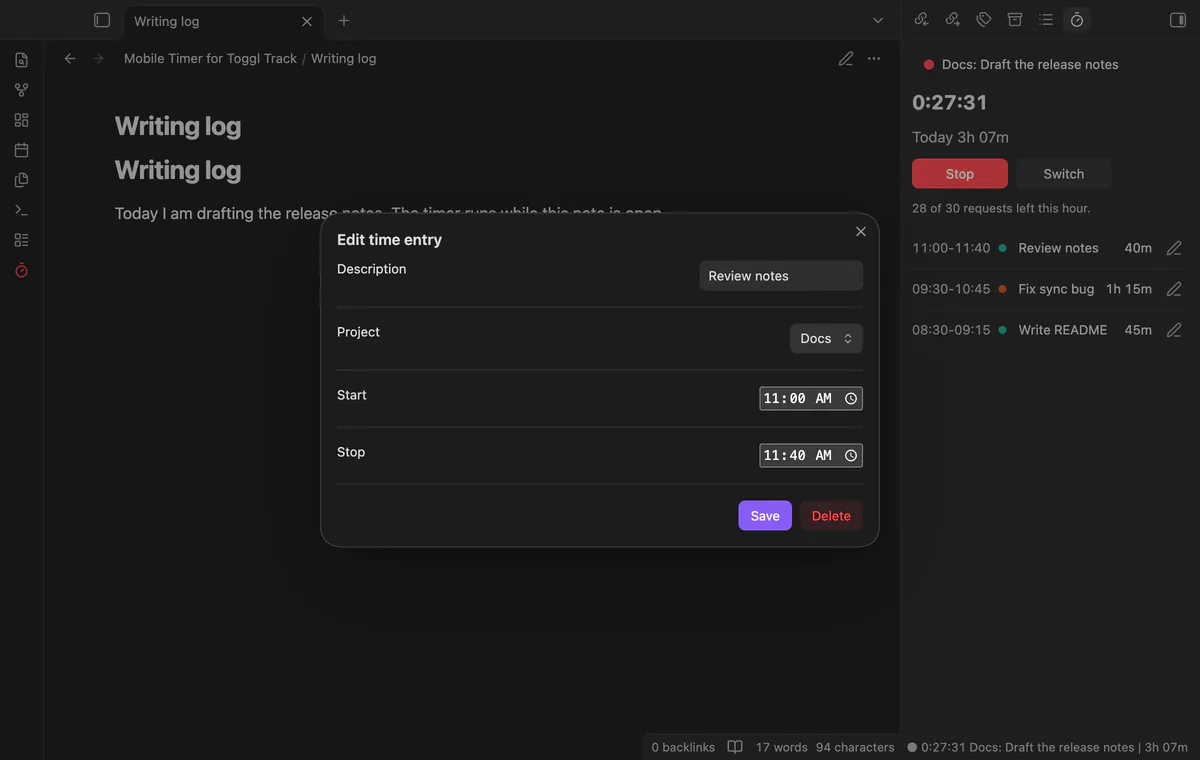
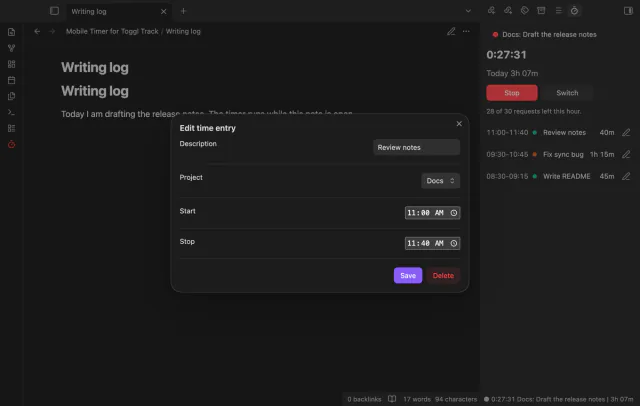
Each finished entry of today in the panel gets an edit button. The window changes the description, the project, and the start and stop time, and it keeps the tags. Delete removes the entry from Toggl after a second selection.
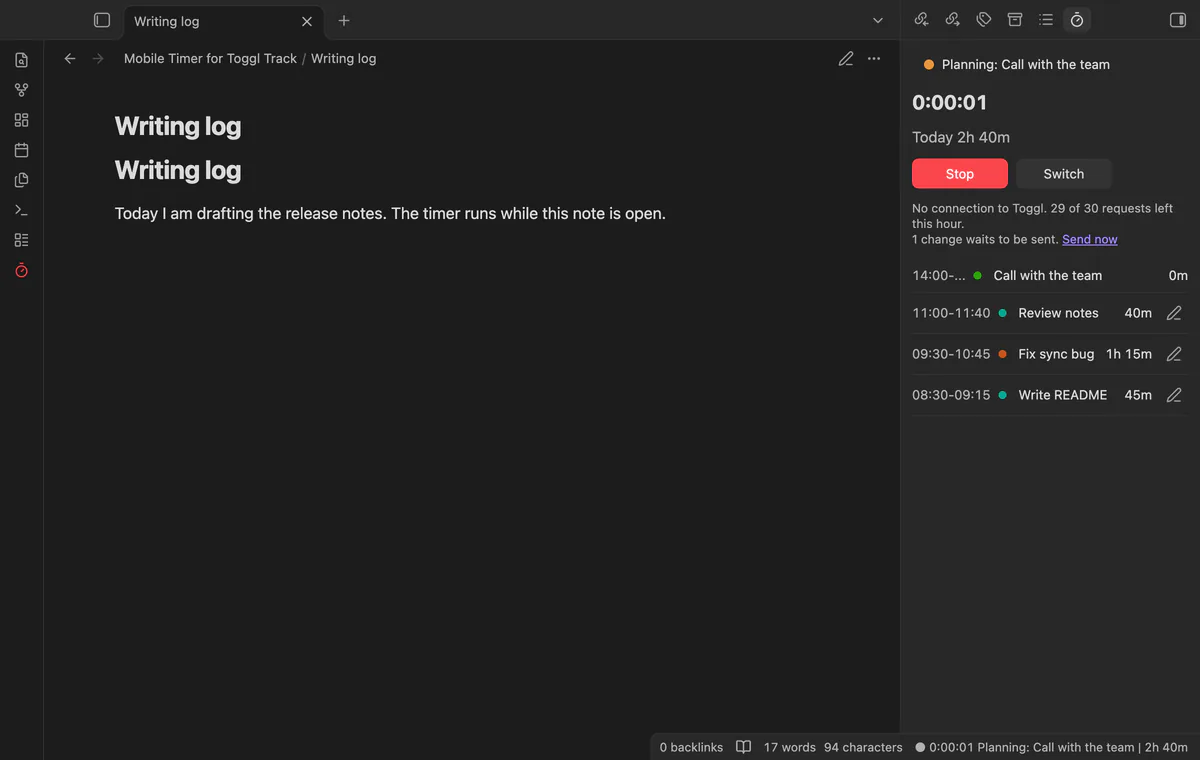
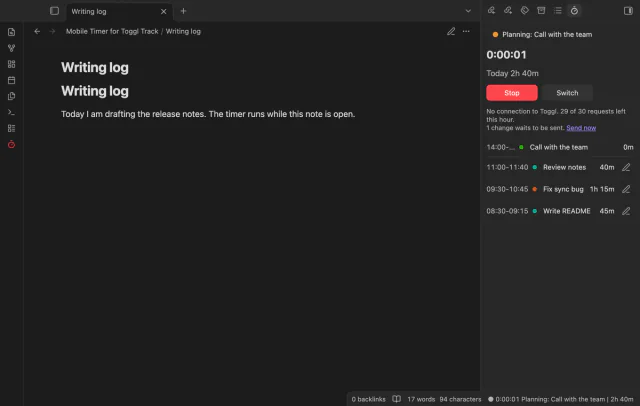
With no connection, or while Toggl limits requests, a start or stop waits in a queue of up to 40 changes. The panel shows the change at once, and a start followed by a stop later goes out as one finished entry. Without Pro, such an action changes nothing, and a notice says so.
needs
steps
Install Mobile Timer for Toggl Track from Community plugins and enable it.
Copy your API token from your Toggl Track profile settings.
In the plugin settings, select the token field, create a secret and paste the token.
Select Check connection. Select Load projects if you want a default project.
Open a note and run Start timer.
If the app can't find a new plugin yet, try again later. Obsidian says a plugin that passes the review shows in the app within 24 hours.
The free Toggl Track plugin is desktop only, and its request for mobile support has been open since February 2022. The request has 4 reactions and 12 comments, and in January 2023 the maintainer wrote that mobile support was not planned soon.
The directory lists it for desktop and mobile, and it is tested on desktop only. The code uses the request function of Obsidian and no Node module. No test in the repository ran on a phone or tablet, so treat mobile as untested.
It sends your API token with each request to api.track.toggl.com, and the time entries that you start, stop, edit or delete. An entry holds the description, project, tags, times and workspace number, and the description starts as the name of the open note. Requests go out when Obsidian loads, when it returns to the front with an old cache, and when you act. It sends no note text and has no telemetry.
The token stays in the secret storage of Obsidian on the device, and not in a note or in data.json. Obsidian lets any plugin in the vault reference a secret by its name. The token does not sync, so paste it on each device. The file data.json does hold a cache of your recent time entries, projects and tags.
Toggl answers HTTP 402 when the hourly quota is used up, and the plugin then waits until the window that Toggl reports is over. After HTTP 429 it waits 2 minutes, then longer, up to 20 minutes. The panel shows the wait, and the settings show the requests that are left.
Sponsor on GitHub Sponsors for $5 a month or $15 one time, then select Sign in with GitHub in the settings. Pro stays on once GitHub reports $15 paid in total, and one sponsorship turns on Pro in every plugin of this developer. After a successful check the plugin waits 7 days, and after a failed check it tries again every 6 hours.
With a saved Toggl API token, the plugin talks to api.track.toggl.com when Obsidian loads or returns to the front, and when you act. Each request carries the token from Obsidian secret storage, and a change carries the time entry, whose description is the note name by default. After you select Sign in with GitHub, it also asks github.com and api.github.com about your sponsorship, 7 days after each successful check.
Mobile Timer for Toggl Track 1.0.0, MIT license
MIT · no telemetry · core features free
Complete a task and it links to that day, so the daily note lists it in its backlinks.
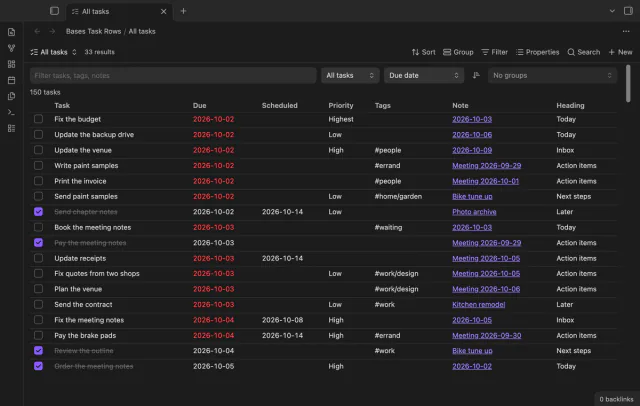
Every checklist task in the notes a base selects, one row each, with a done box you can tick.
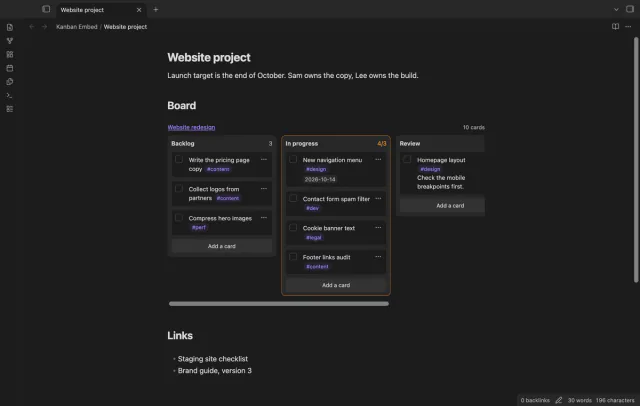
Put a Kanban board in a project page or a daily note and check off cards right there.