How to merge Markdown tables from many notes in Obsidian
Obsidian's help site, read in October 2026, describes no way to merge Markdown tables from several notes into one table. Bases builds its rows from files and its columns from properties, and Dataview doesn't read tables either. You can move the rows into properties, write SQL with SQLSeal, or add a Bases view that reads the tables.
Updated · 4 ways compared · 10 sources
Background
Dataview issue 555, support markdown tables as data sources, was opened on 17 October 2021 and is still open. It has 82 reactions, and 56 of them are thumbs up. In December 2023 a Dataview contributor wrote there that the plugin is in maintenance mode and the feature is unlikely to be added.
Two forum topics ask the same question, one from December 2023 and one from May 2025. Both closed with no reply. The 2025 poster wants an index note that collects the tables of other notes into one combined table.
4 ways to do it
Move each row into properties
Bases shows one row for each file and fills the columns from properties. It can sort the rows and add a summary under a column. So if each row of your table becomes its own note with properties, a core base replaces the merged table.
The 2025 forum poster names this route and its cost. A commenter on issue 555 does something similar with lists and inline fields for Dataview.
limits
You need one note for each row, which the forum poster wanted to avoid. Your data no longer sits in a small table inside the daily or meeting note.
SQLSeal is a community plugin that runs SQL in a code block. Since version 0.30.0 its table function can read a table from another file, by position or by the heading above it. You give each table a name, then join the tables or stack them with UNION ALL.
limits
Every table reference in the reference guide names one file path, so each new note needs a new line in the query. You also write the SQL that combines the tables.
Block View is a community plugin that adds a view to Bases. The base picks the files, and Block View lists the matching blocks from them. Its options include Markdown tables, and one display option keeps only the table rows that match.
limits
It lists blocks file by file. Its README doesn't describe one merged table with shared columns, column sort or totals.
Table Rollup, a Bases view that merges the tables from this site
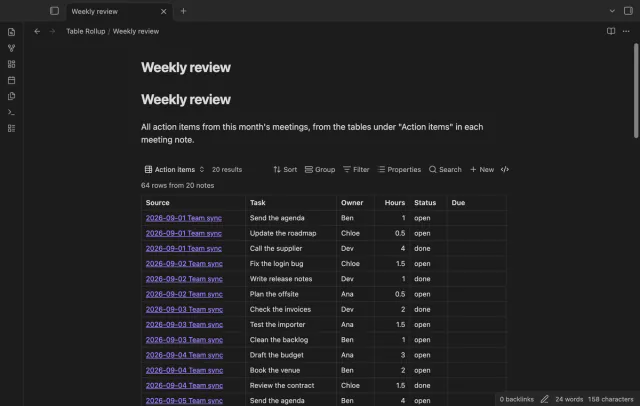
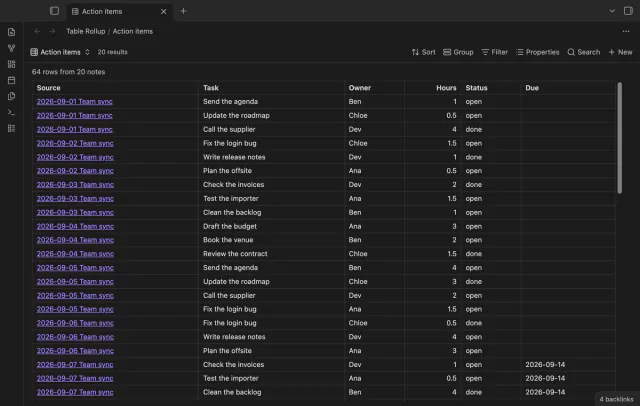
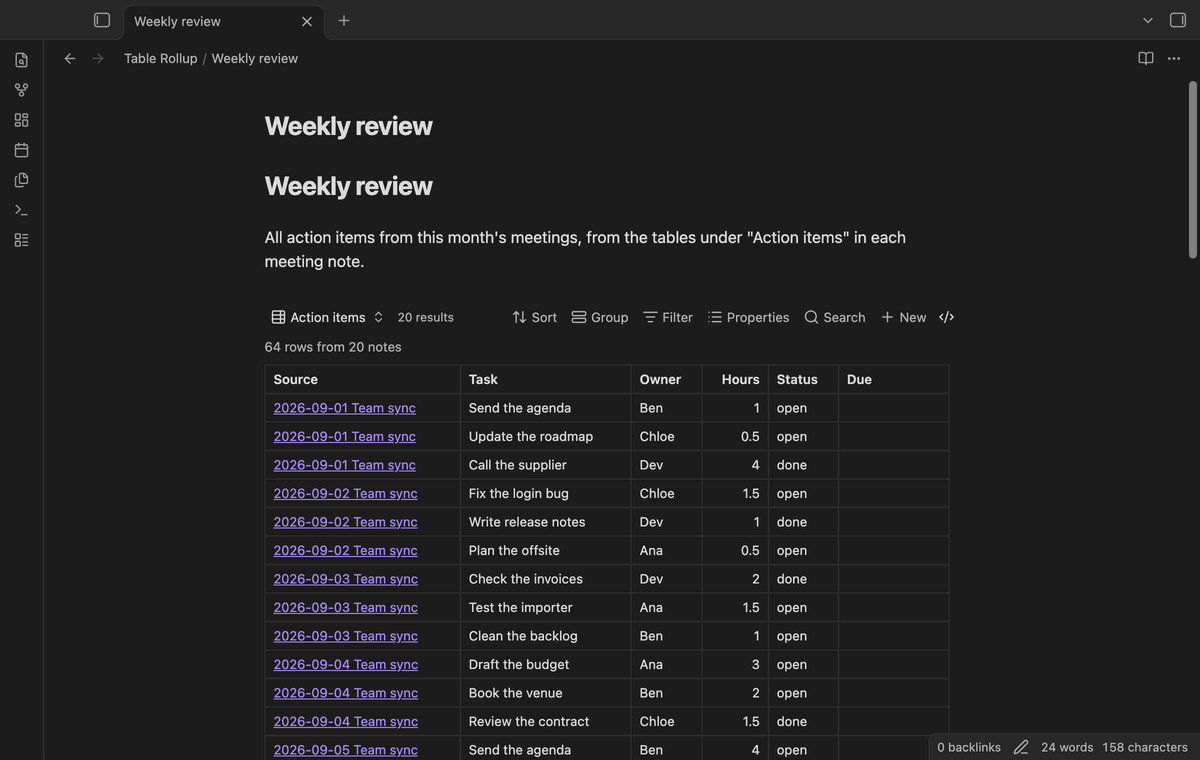
Table Rollup is a view for the core Bases plugin. The base selects the notes, and the view takes the first table under the heading you name in each note. It matches columns by name, so Owner and owner land in one column. A Source column links each row to its note.
Click a column header to sort. The merged table draws again when you edit a source note, and you can embed the view in another note. Table Rollup only reads your notes.
limits
The free version merges tables from up to 50 notes that have rows, and it says how many notes it left out. Summary rows, group subtotals, row filters, export and the task list rollup need Pro.
Install Table Rollup from Community plugins, enable it, and make sure the core plugin Bases is on.
Create a base or open one. Set its filters so it selects the notes with your tables, for example a folder or a tag.
Open the view menu in the base toolbar and add a view of the type Table rollup.
Open the view options and type the heading above your tables in Under heading, for example Action items.
Click a column header to sort the merged rows. The Source column links each row to the note it came from.
For a total under a column, set Summary row in the view options. That option needs Pro.
Common questions
Will Dataview get Markdown tables as a data source?
It doesn't look likely. Issue 555 has been open since October 2021. In December 2023 a contributor wrote that Dataview is in maintenance mode and the feature is unlikely to be added.
Can I just embed each table under the other?
Yes. Obsidian can embed a heading or a block from another note, so an index note can show every table in turn. They stay separate tables, though. You add one embed by hand for each new note.
Do the tables need the same columns in every note?
Not for Table Rollup. It matches columns by name, and case, bold text and column order don't matter. A column that only some notes have is added at the end.
What if more than 50 of my notes have a table?
The free version of Table Rollup merges the tables from up to 50 notes that have rows. When more notes have rows, the table says how many it left out. Pro removes the limit.
Bases can't list the checklist tasks inside your notes on its own, as of October 2026. A base row is a file, and an Obsidian developer wrote in 2025 that Bases doesn't read file contents. You can make each task its own note, or add a community view for Bases that reads the task lines.
Bases has no setting that freezes a column, as of October 2026. Forum users report that a base file keeps its header row in view, and a CSS snippet does that for embedded bases. Nobody in the threads got the first column to stay with CSS alone.