Kanban Embed
Put a Kanban board in a project page or a daily note and check off cards right there.
Every checklist task in the notes a base selects, one row each, with a done box you can tick.
MIT · no telemetry · core features free
Tested on desktop with Obsidian 1.13.4 and 1.14.4.
Directory facts fetched from community.obsidian.md/users/theluckystrike.
You write checklist tasks inside project, meeting and daily notes and want them all in one base.
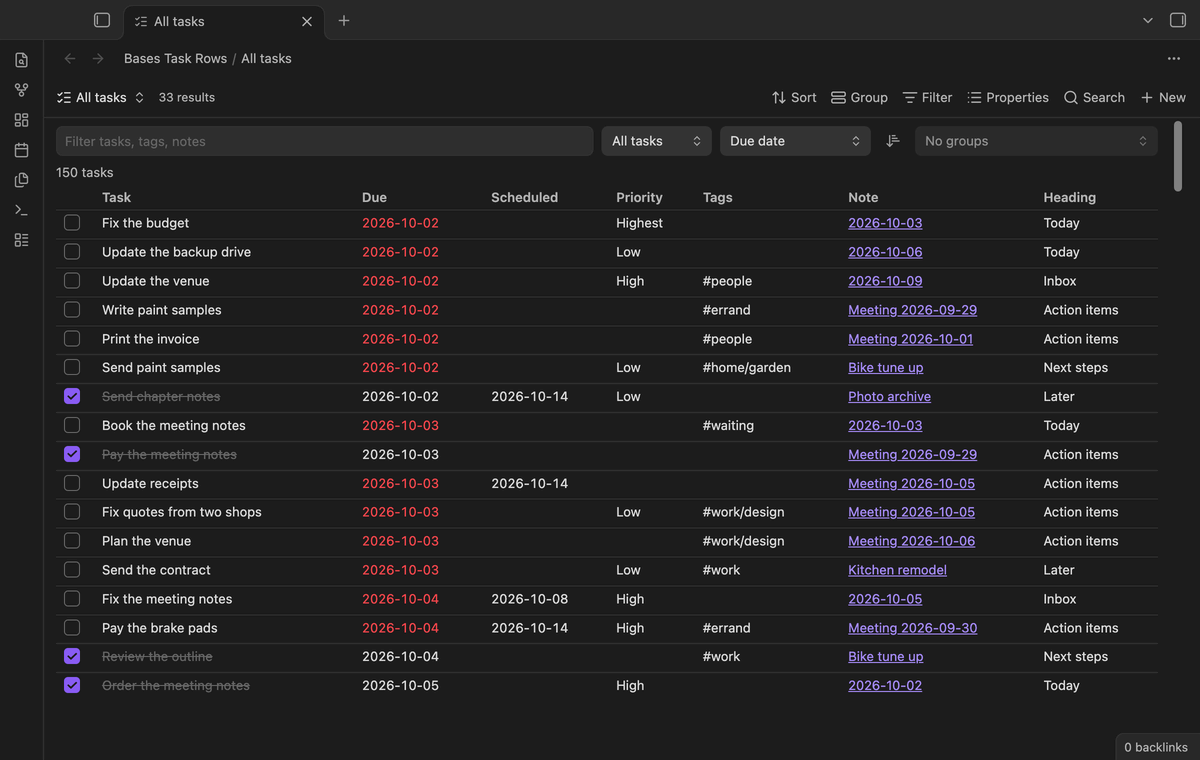
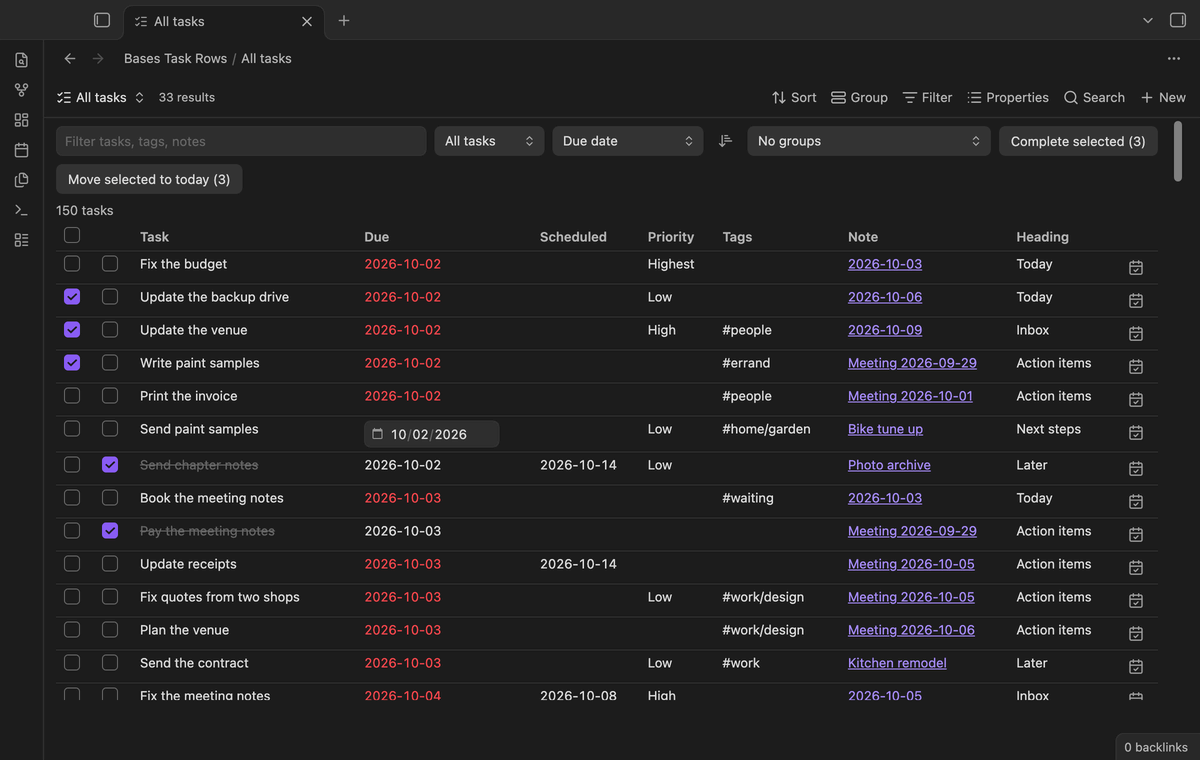
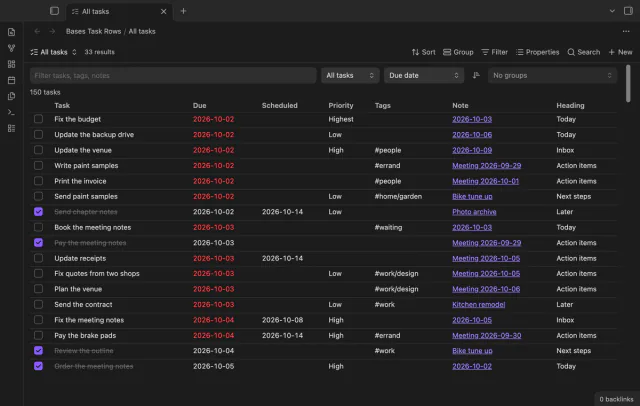
Bases Task Rows adds a "Task rows" view to Bases. Each checklist task in the notes that a base selects becomes its own row. A row has the done box, the task text, due and scheduled dates, priority, tags, the source note and the heading above the task.
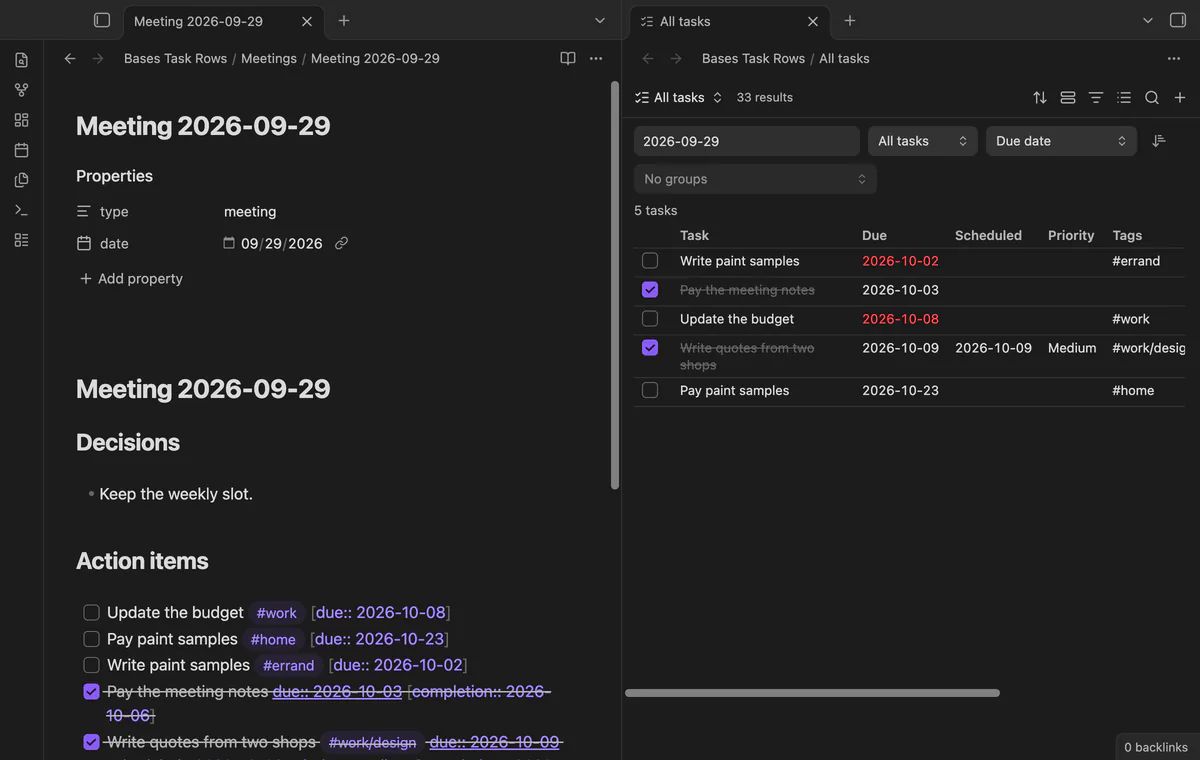
Core Bases reads note properties, not the lines inside a note. This plugin reads the task lines themselves. It understands the date format of the Tasks plugin and Dataview fields, so it works with the notes you already have.
 Play demo

The base decides which notes count, with its normal filters, such as a folder or a tag. The view then lists every open and done checkbox line in those notes. Select the task text or the note name to open the note at that line.
Tick the box and the plugin marks the source line as done. If the line already has a date, it also adds a done date, the same way the Tasks plugin does. Before it writes, it checks that the line is still exactly the line it read, and it writes nothing if not.
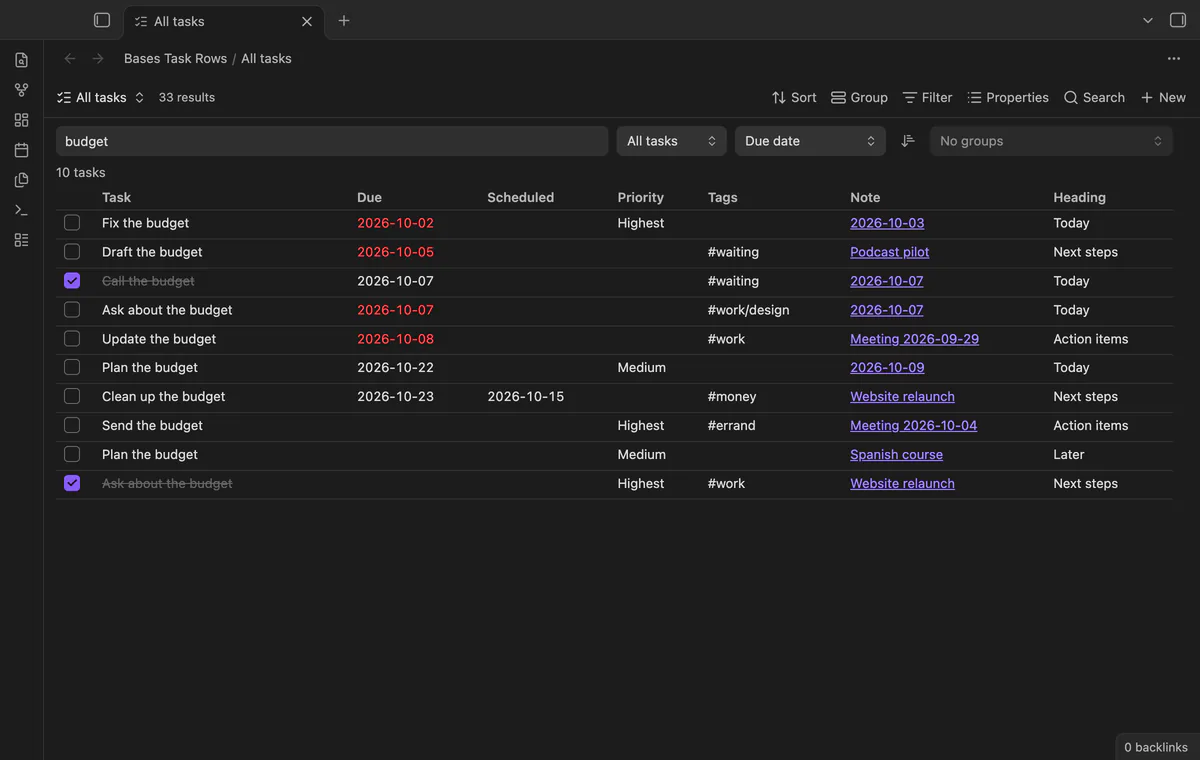
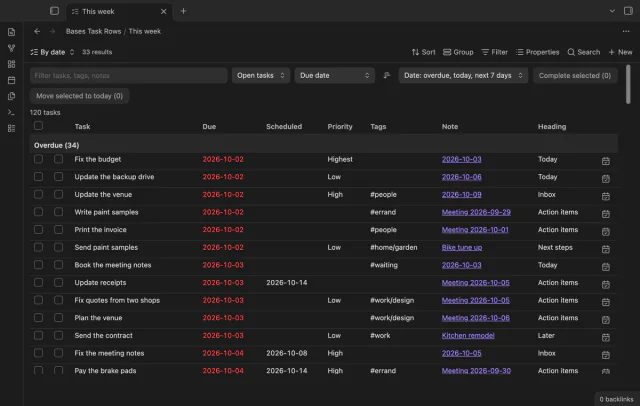
The toolbar has a filter box, a Show menu for open, done or all tasks, a Sort menu and a reverse button. Sort by due date, scheduled date, priority, task text, note name or the order in the notes. The filter box matches words in the task text, tags, note name and heading.
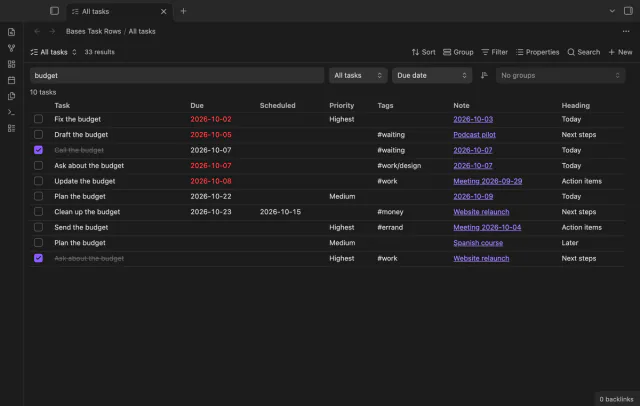
The plugin reads due, scheduled, start, done, created and cancelled dates in the emoji format of the Tasks plugin. It reads the same dates as Dataview fields in square or round brackets, plus priority and tags. A new date uses the format the line already has.
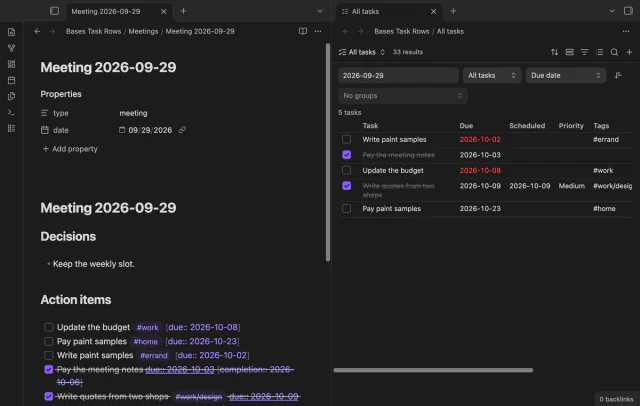
The free version shows up to 200 tasks per view, in sort order, and says how many it hides.
Pro costs $5 a month or $15 one time through GitHub Sponsors. One sponsorship turns on Pro in all 15 plugins.
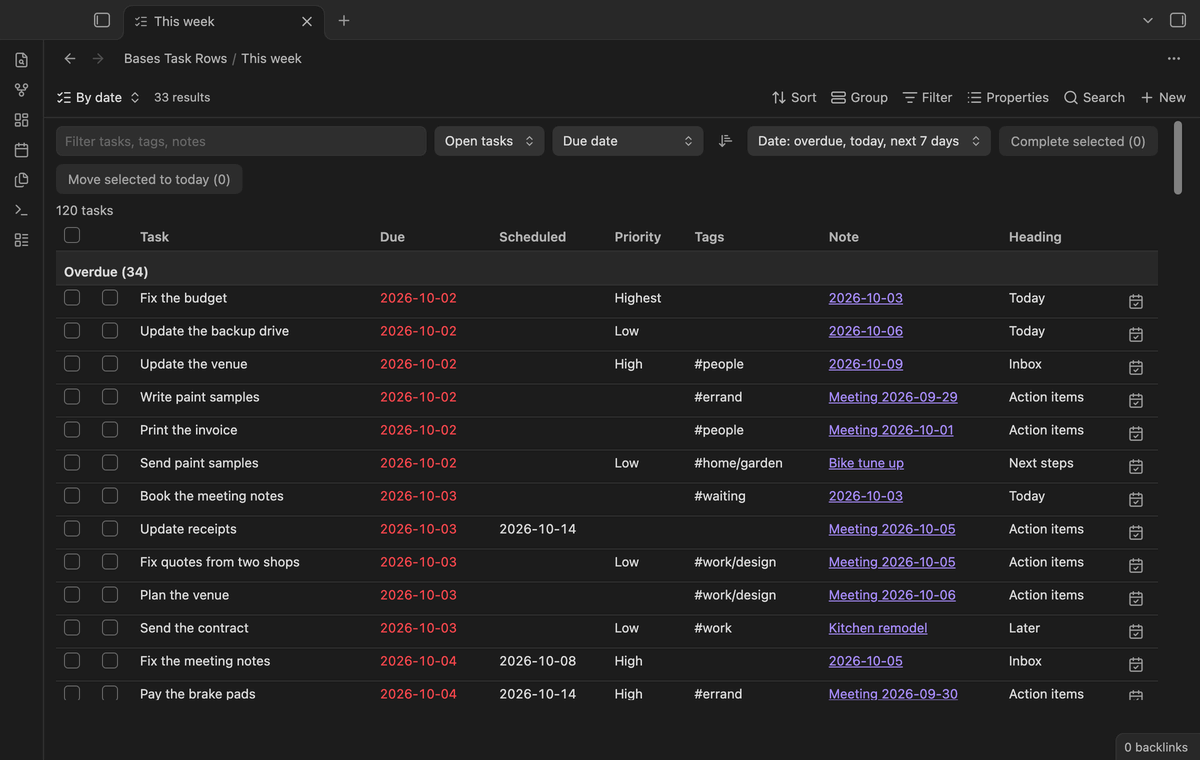
Group by date puts each open task under Overdue, Today, Next 7 days, Later or No date. Done tasks go under Done. You can also group by note, heading or tag, and a task with two tags shows under both.
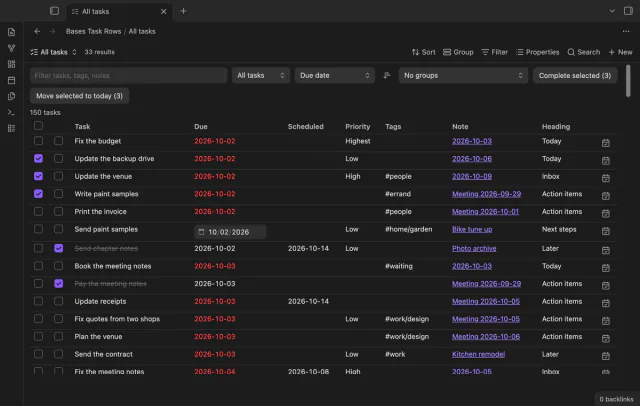
Select a due date to change it in the row. The calendar button of a row moves the task to today. Select rows with the boxes on the left, then choose "Complete selected" or "Move selected to today".
needs
steps
Open a folder of notes with tasks and run the command "Create a task base for the current folder". The plugin creates Tasks.base there with a Task rows view.
Or open any base, add a view from the view menu, and choose the layout "Task rows".
Change the base filters to choose the notes, then set Show, Sort and the columns in the toolbar or the view options.
A forum request for task support in Bases (topic 103074) has 31 posts, 114 likes and 44 votes.
Not on its own. Core Bases reads note properties, not the lines inside a note. Bases Task Rows adds a view that reads each checklist line and shows it as a row.
Only when you tick a box or use a Pro action. Then it changes that one line, and in that line only the box or one date. Nothing else in the note changes.
The plugin ticks a recurring task like any other task, but it doesn't create the next one. If you use the Tasks plugin for repeats, tick those tasks in the note or in a Tasks query.
The statuses x, X and the hyphen for cancelled count as done. Any other symbol in the box counts as open.
The plugin reads each note with tasks once and keeps the result until the note changes. In the end-to-end test, 2,000 tasks from 100 notes render in under 300 ms.
Bases Task Rows makes no network requests until you select "Sign in with GitHub" in the settings. After sign in, it sends one query to the GitHub API, at most once every 7 days or when you select Refresh. The query asks only about your sponsorship of theluckystrike, and the plugin sends no vault data and has no telemetry.
Bases Task Rows 1.0.2, MIT license
MIT · no telemetry · core features free
Put a Kanban board in a project page or a daily note and check off cards right there.
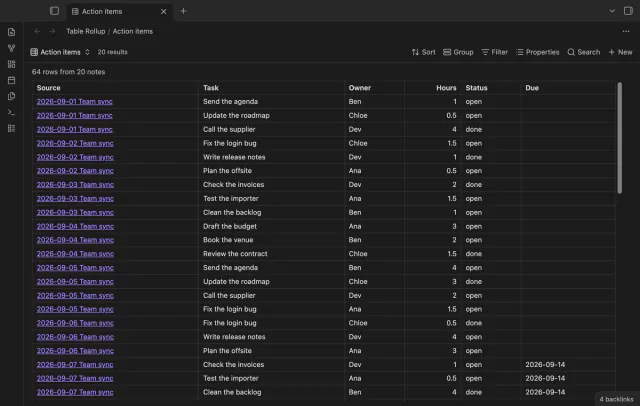
All the rows from the small tables in your notes, in one sortable table that links back to each note.
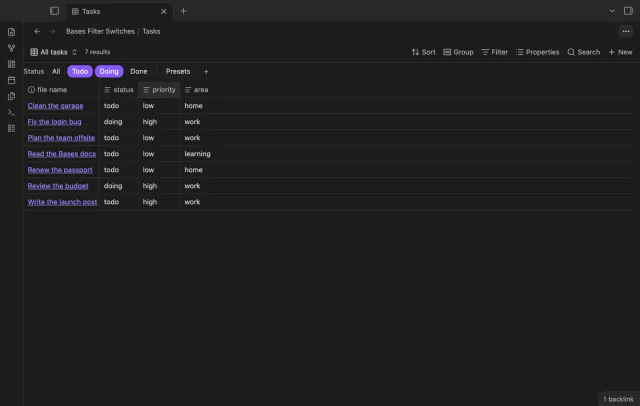
A row of switches under the base toolbar, each one a saved filter you turn on or off with a click.