Flatten Table
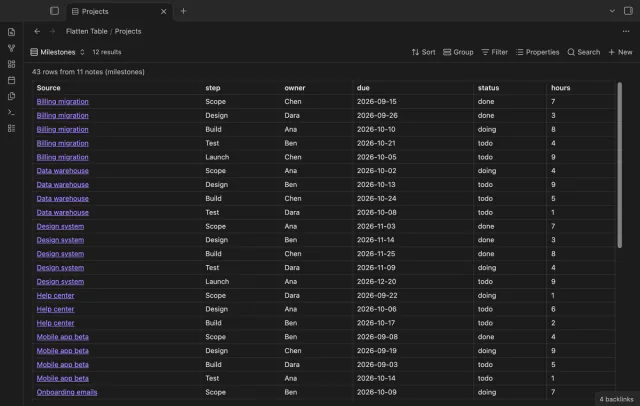
Each item of a list property becomes its own table row in Bases, so one note can give many rows.
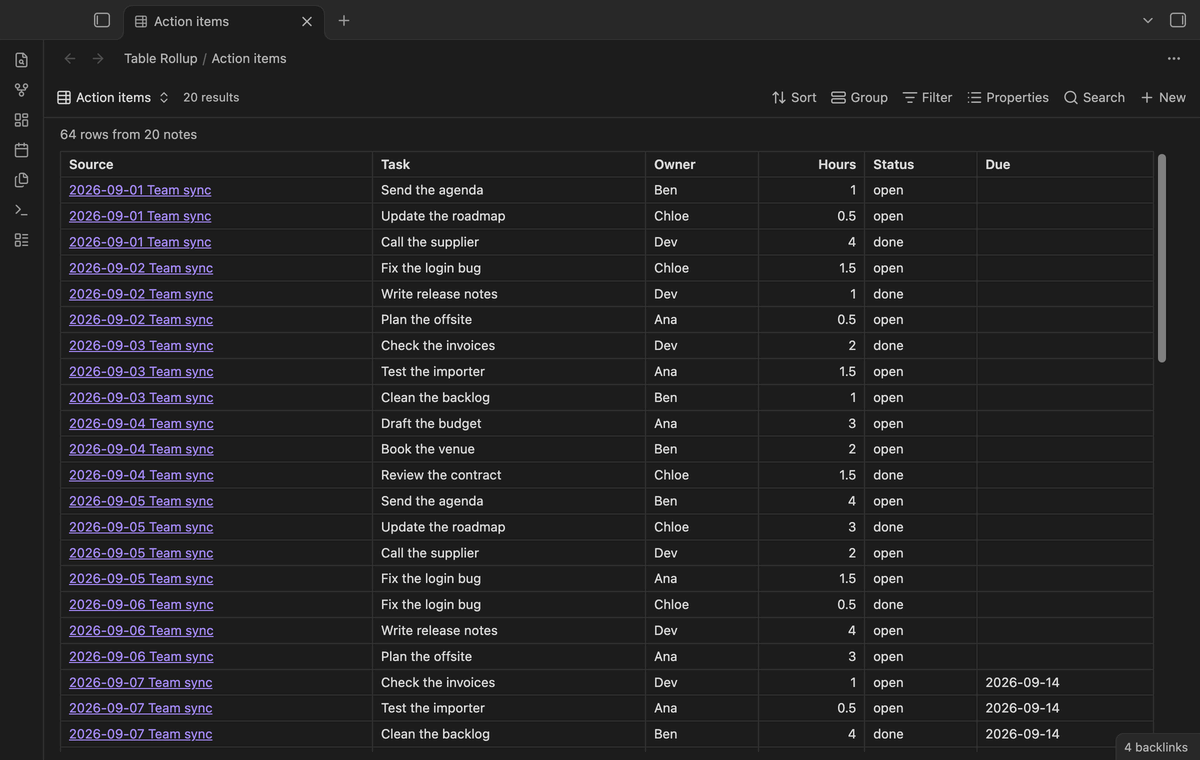
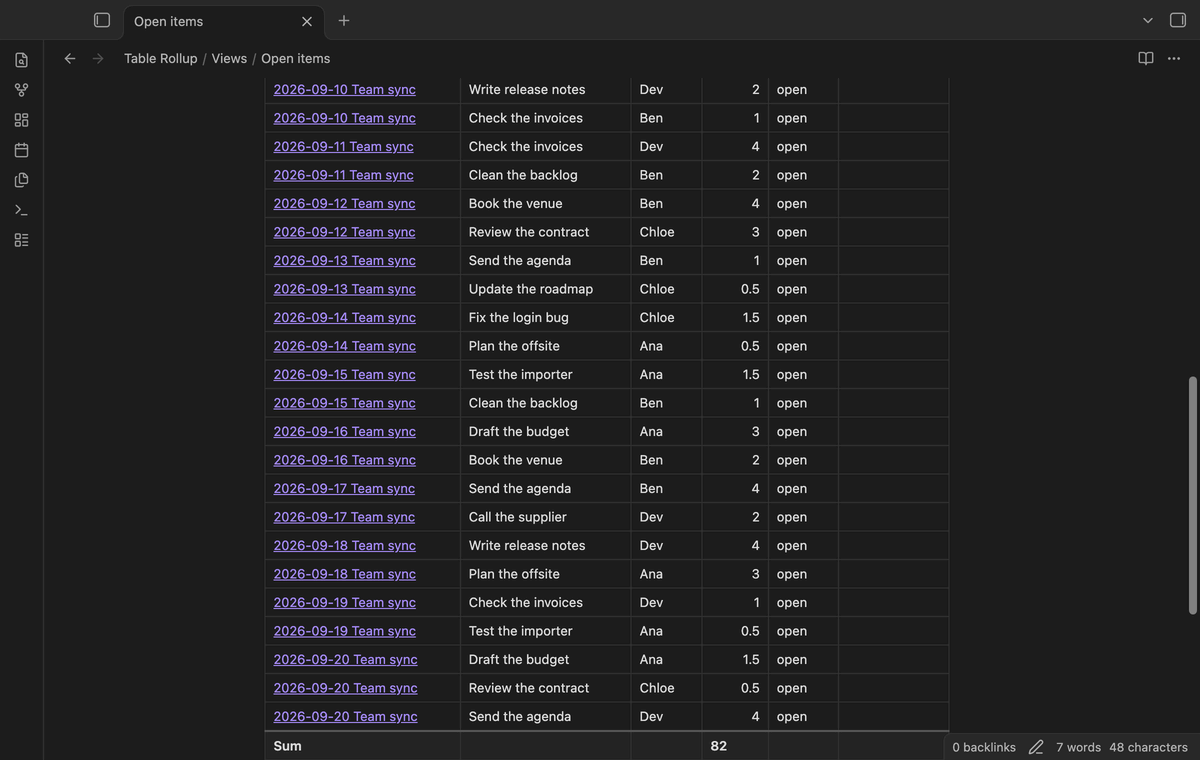
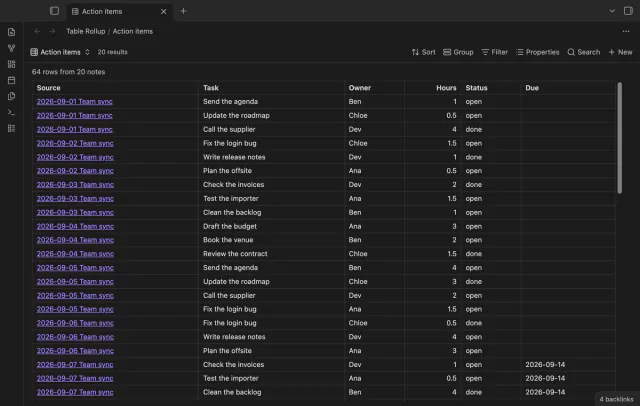
All the rows from the small tables in your notes, in one sortable table that links back to each note.
MIT · no telemetry · core features free
Directory facts fetched from community.obsidian.md/users/theluckystrike.
You keep a small table under the same heading in many notes, such as action items in meeting notes or expenses in daily notes.

Table Rollup shows the rows of all those tables together, with a Source link to the note each row came from. It matches columns by name, so the tables don't need the same column order. Your data stays in your notes.
It's a view for the core Bases plugin. The base selects the notes, and Table Rollup draws one merged table from their tables. It only reads your notes, and it uses only the public Bases API for plugins.
 Play demo
Each note in the base gives the rows of its table under the heading you choose. The merged table matches columns by name, so Owner in one note and owner in another share a column. A Source column links to each note.
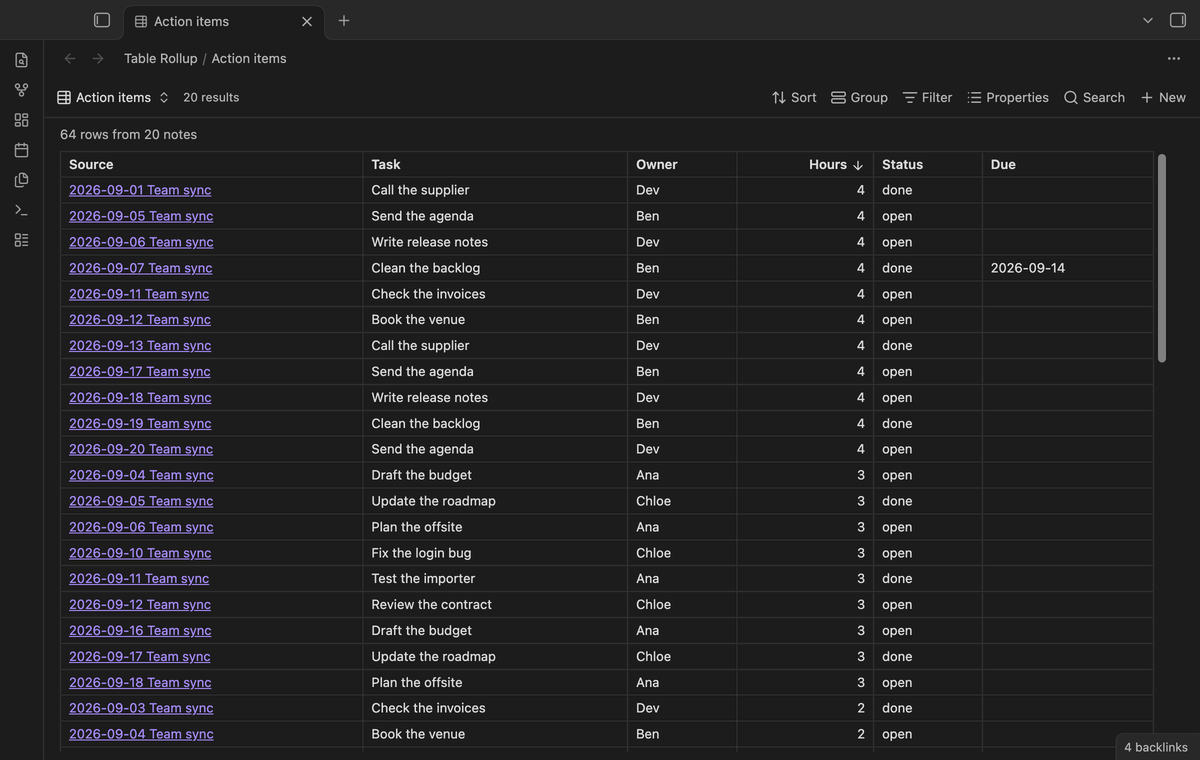
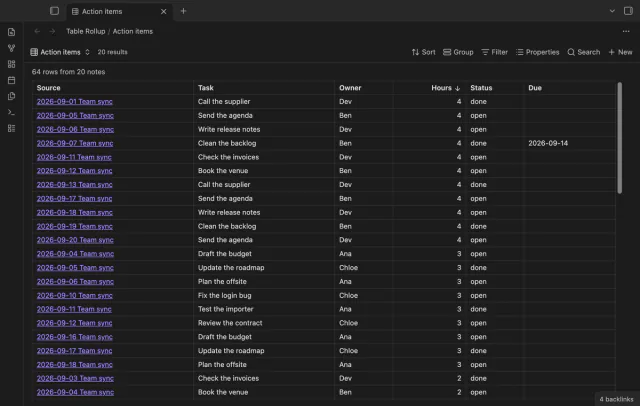
Click a column header to sort, click again to sort the other way, and a third time for the note order. Numbers sort as numbers. Empty cells stay at the end.
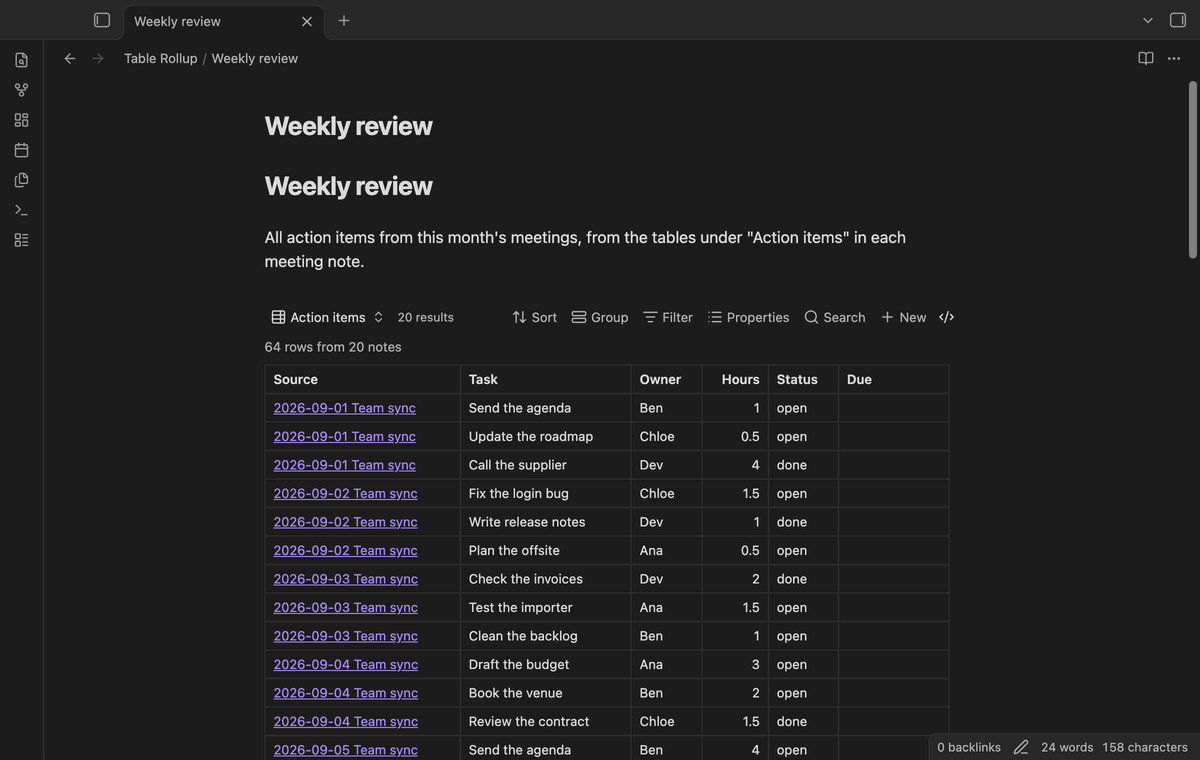
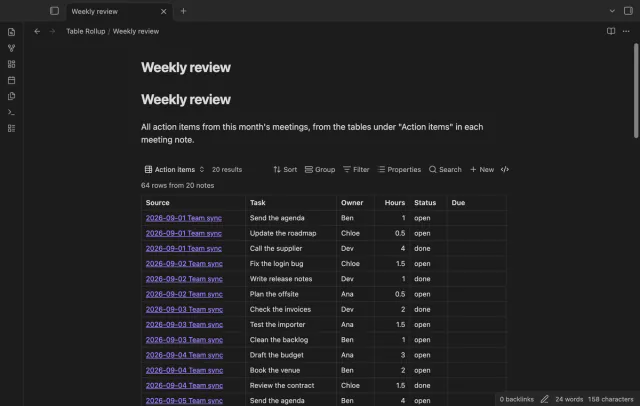
Edit a source note and the merged table draws again after a short delay. You can embed the view in any note with a normal embed link, for example in a weekly review.
The free version merges tables from up to 50 notes that have rows, and the table says how many notes it left out.
Pro costs $5 a month or $15 one time through GitHub Sponsors. One sponsorship turns on Pro in all 15 plugins.
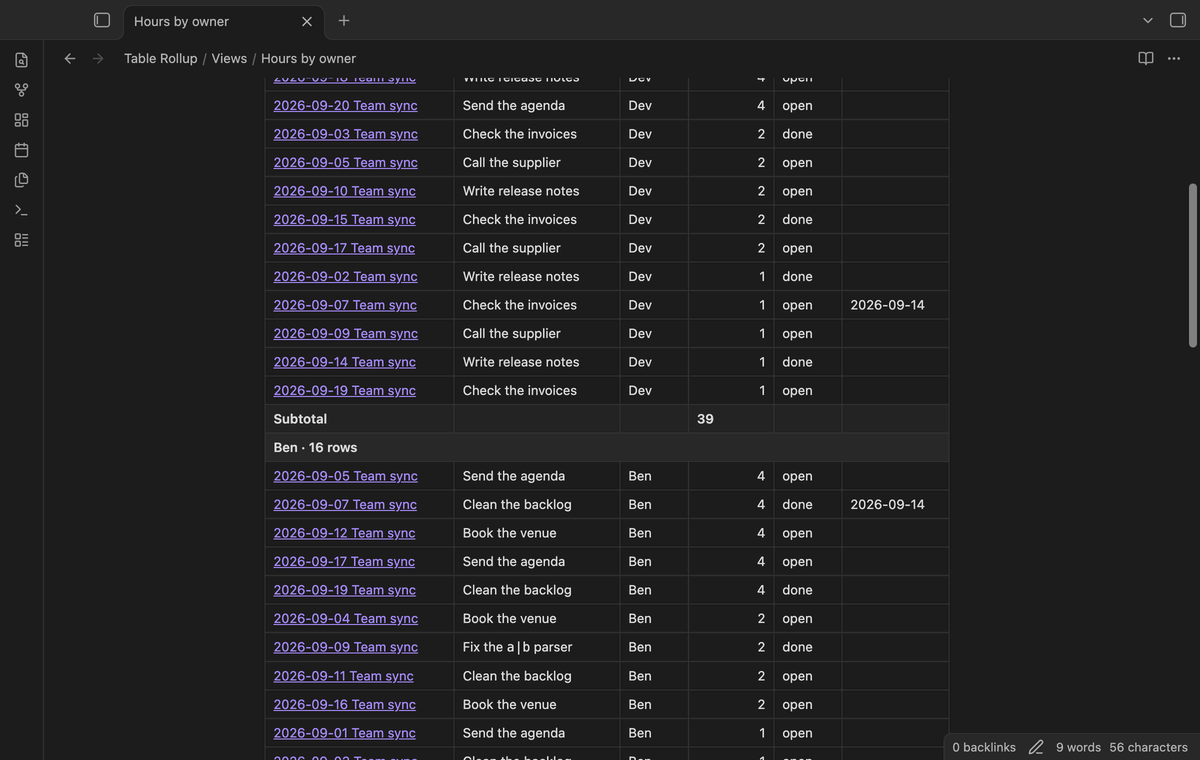
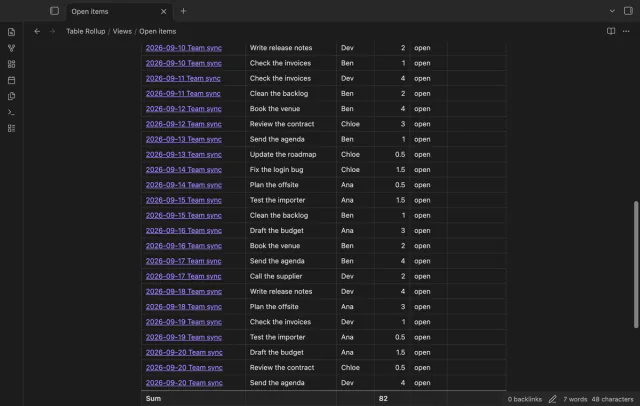
Add a summary row with the sum, average, count, smallest or largest value of each column. Values such as $1,200.50 and 12 % count as numbers. Group the rows by any column, or by Source, to get a subtotal for each group.
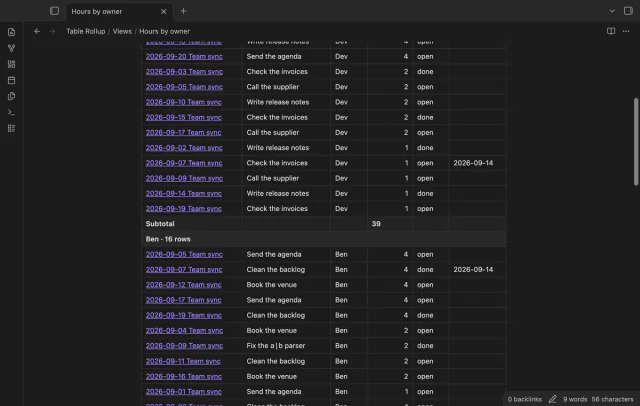
Keep only the rows where a column contains, equals or does not equal a value. You can also keep rows where a number is larger or smaller than a value. The summary row then adds up only the rows that are left.
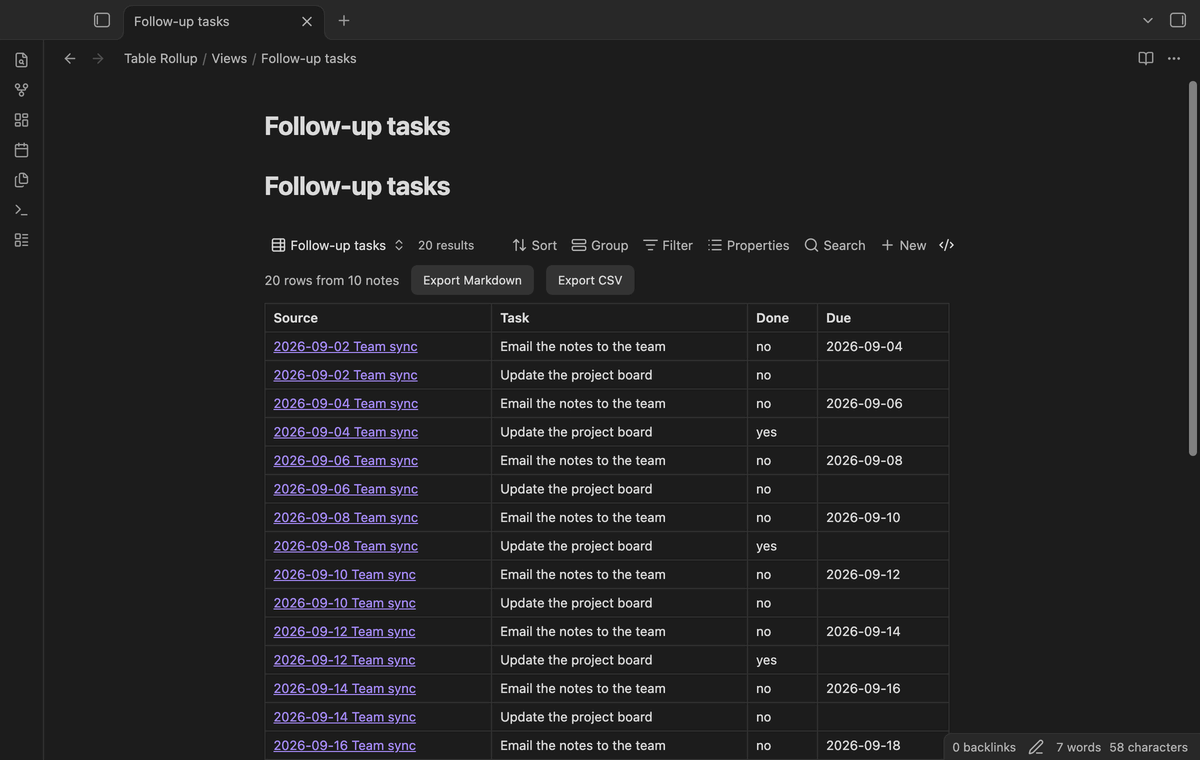
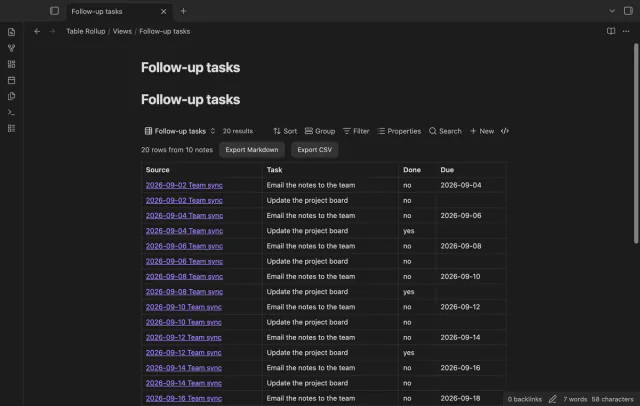
Set Read to Tasks to collect the task list items under a heading instead of a table. The merged table has the columns Task, Done and Due. Due comes from a date after the calendar emoji, the format the Tasks plugin writes.
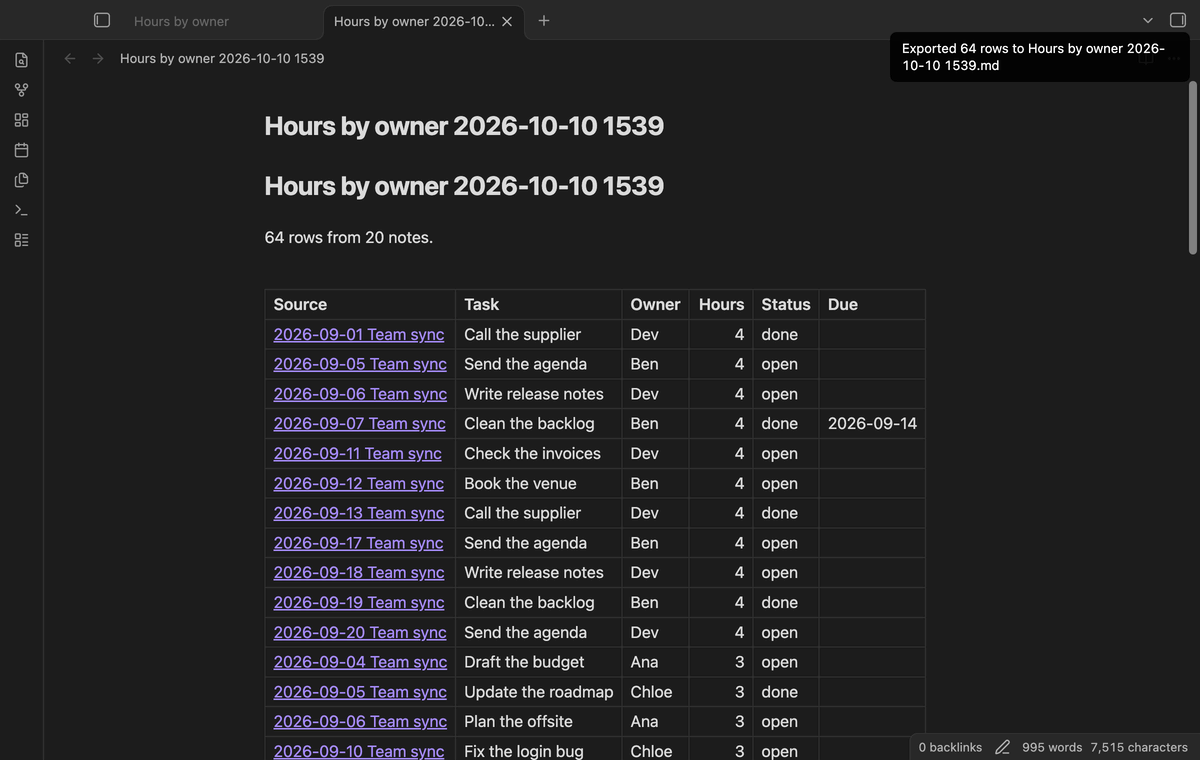
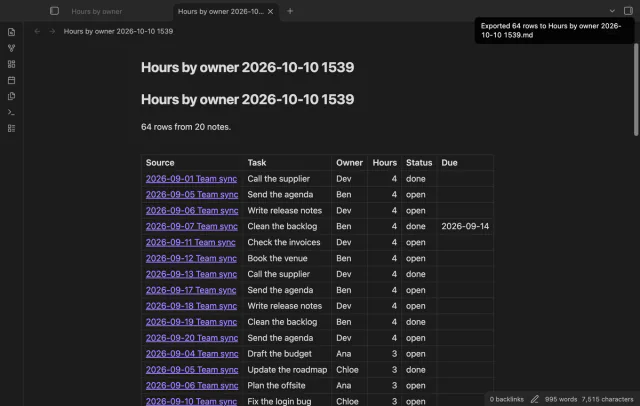
Export the merged table, with its filter and sort, to a new Markdown note or a CSV file. The Markdown table links each row back to its source note and ends with the summary row.
needs
steps
Create or open a base, and set its filters so it selects the notes with your tables, for example a folder or a tag.
Open the view menu in the base toolbar and add a view of the type "Table rollup".
Open the view options and type the heading above your tables in "Under heading", for example Action items.
Leave "Under heading" empty if you want the first table of each note.
Dataview issue 555, which asks for Markdown tables as a data source, has been open since October 2021 with 82 reactions. Two forum topics that ask how to join tables from several notes have no answer.
No. Dataview reads properties and inline fields, not Markdown tables. The request for tables as a data source has been open since 2021 as Dataview issue 555.
No. It only reads notes. Export creates a new file and doesn't touch the sources.
It uses the first table under the heading you set, including tables in sub-sections. The "Which table" option can pick the second, the third or all tables under that heading. Tables in code blocks and in the front matter are ignored.
In the end-to-end test with 500 notes and 2,000 rows, a full draw took 15 to 164 ms on an M3 Pro Mac. Table Rollup skips notes that have no table. It also keeps parsed tables until a note changes.
Table Rollup makes no network requests until you select "Sign in with GitHub", which uses the GitHub device flow with the read-only scope read:user. After sign in, it asks GitHub about your sponsorship at most once every 7 days, or when you select Refresh. It sends no note content, file names or other vault data, and it has no telemetry.
Table Rollup 1.0.3, MIT license
MIT · no telemetry · core features free
Each item of a list property becomes its own table row in Bases, so one note can give many rows.
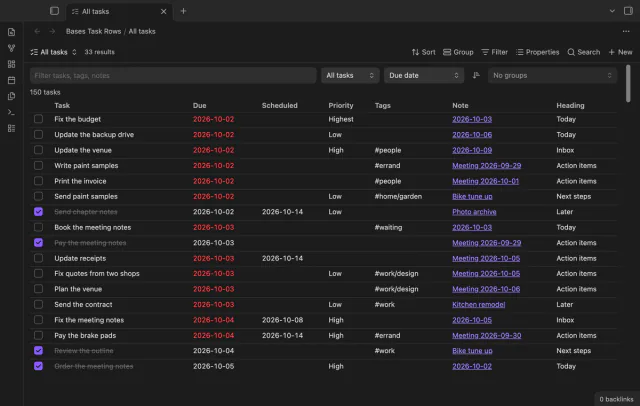
Every checklist task in the notes a base selects, one row each, with a done box you can tick.
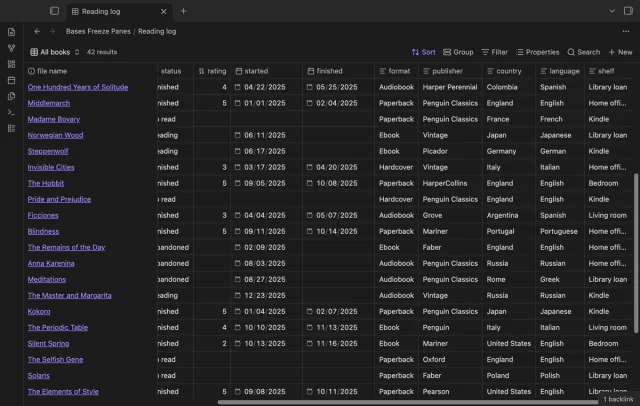
Scroll a wide base and the column names and note names stay put, like Freeze Panes in a spreadsheet.
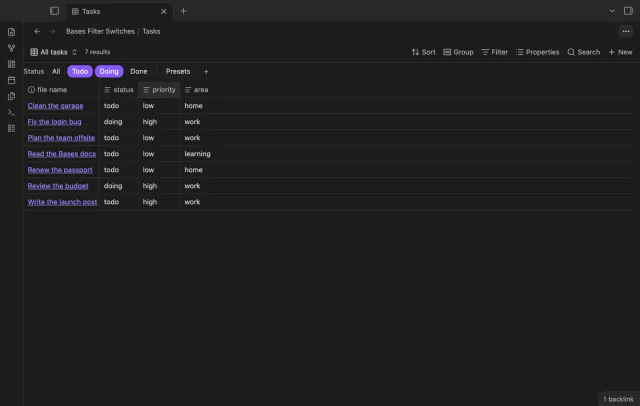
A row of switches under the base toolbar, each one a saved filter you turn on or off with a click.