Embed Outline
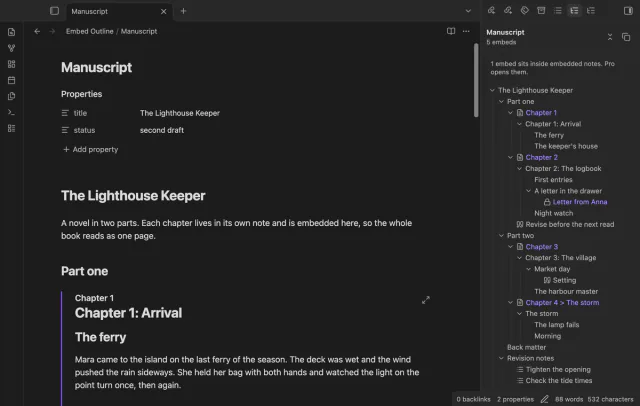
One outline for a note built from embeds, with each chapter's headings under its embed.
Retype a heading and every link to it in your other notes follows, with no rename dialog.
MIT · no telemetry · core features free
Tested on desktop with Obsidian 1.13.4 and 1.14.4.
Directory facts fetched from community.obsidian.md/users/theluckystrike.
You link to headings across notes and you edit headings by typing over them.
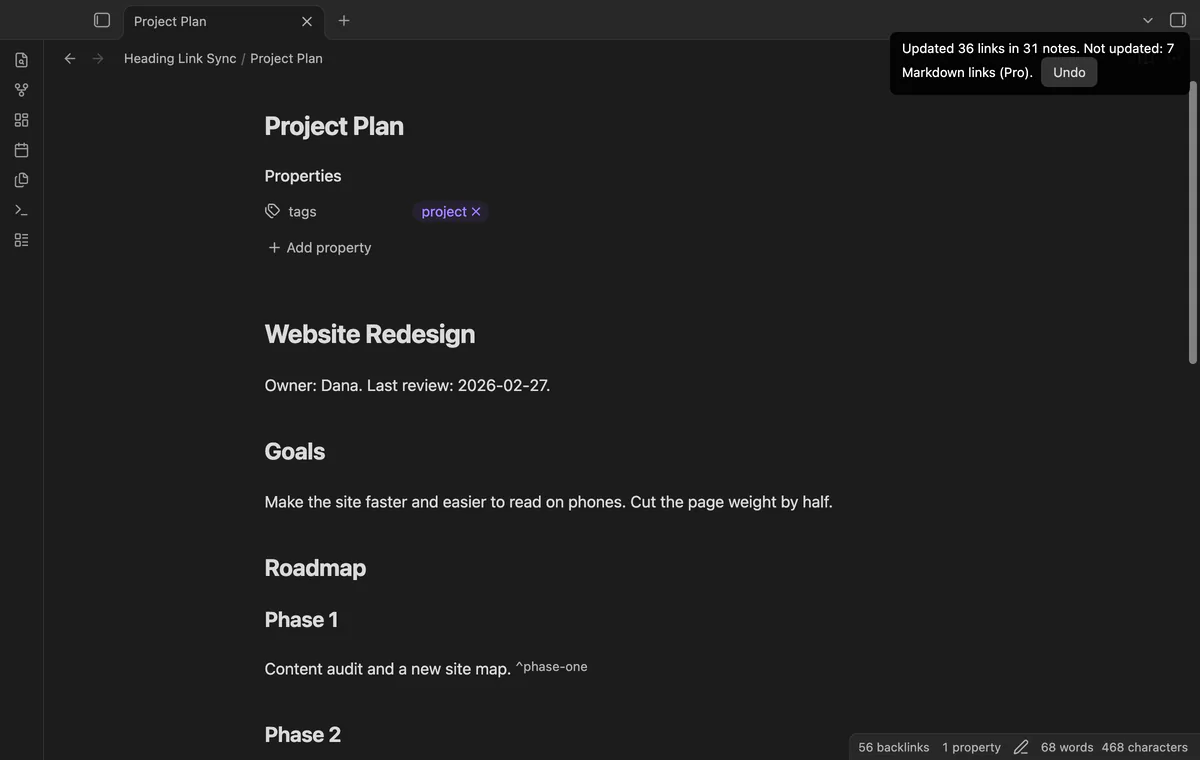
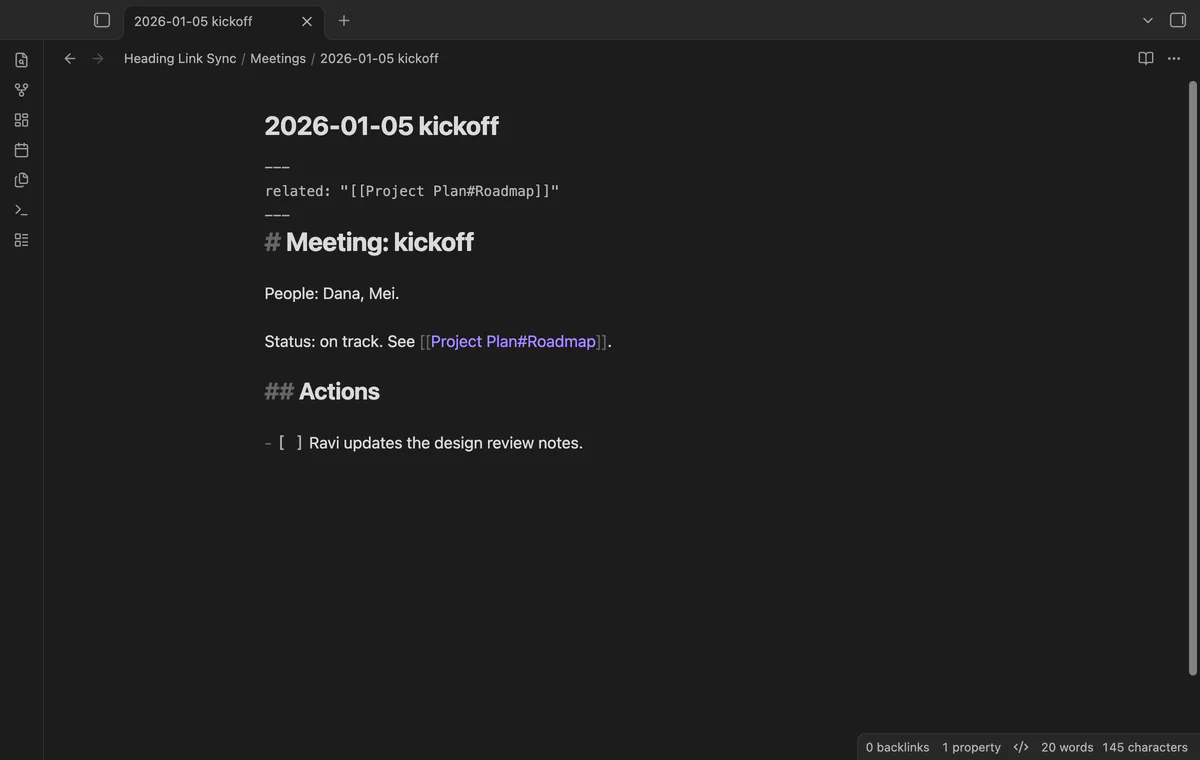
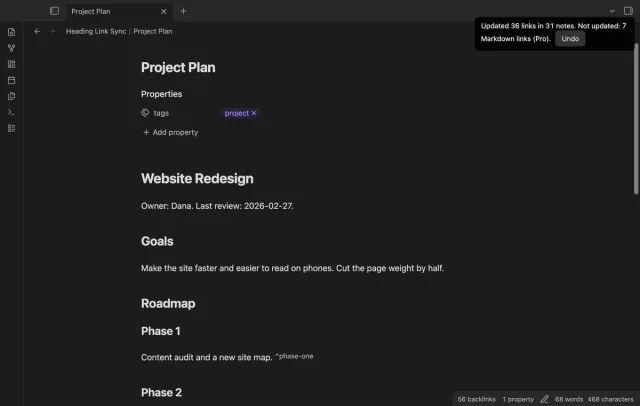
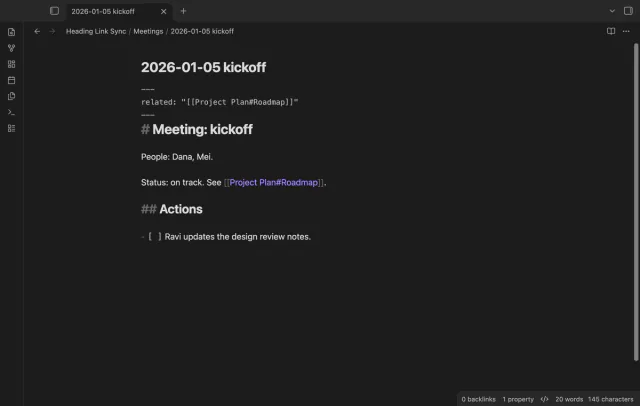
Change a heading from Milestones to Roadmap and move the cursor off the line. Every link to Project Plan#Milestones in your other notes now points to Project Plan#Roadmap. You open no menu and see no dialog.
Obsidian already has "Rename this heading" in the editor menu, but it opens a dialog first. When you type over a heading instead, the links to it break without a warning. Heading Link Sync closes that gap.
 Play demo
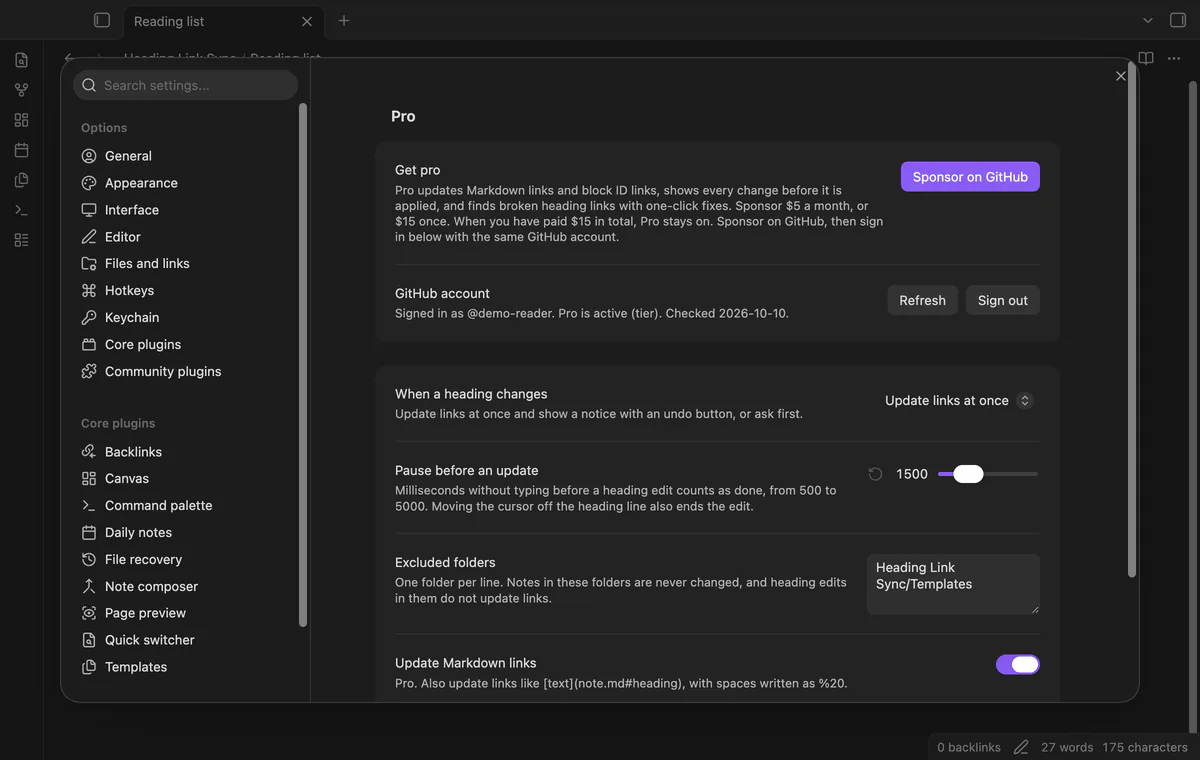
Edit the heading as normal text. The plugin waits until you move the cursor off the heading line, or until you stop typing for 1.5 seconds. Then it updates the links and shows one notice with an Undo button.
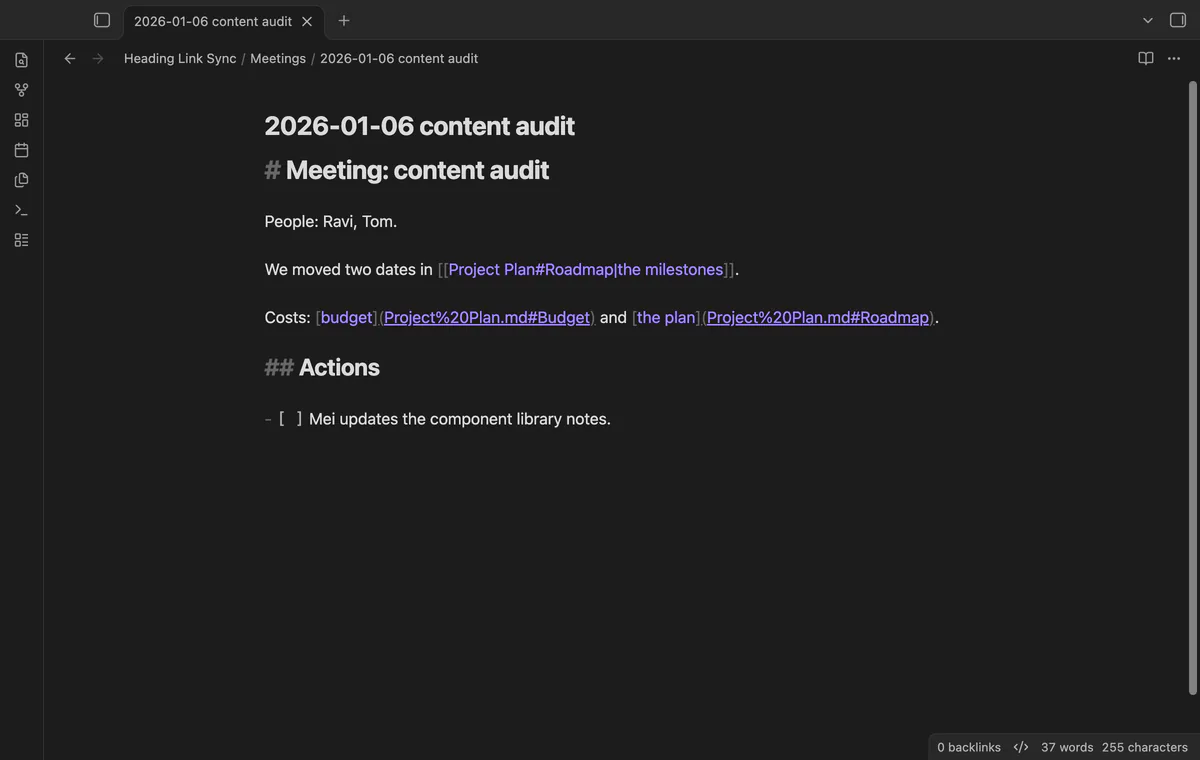
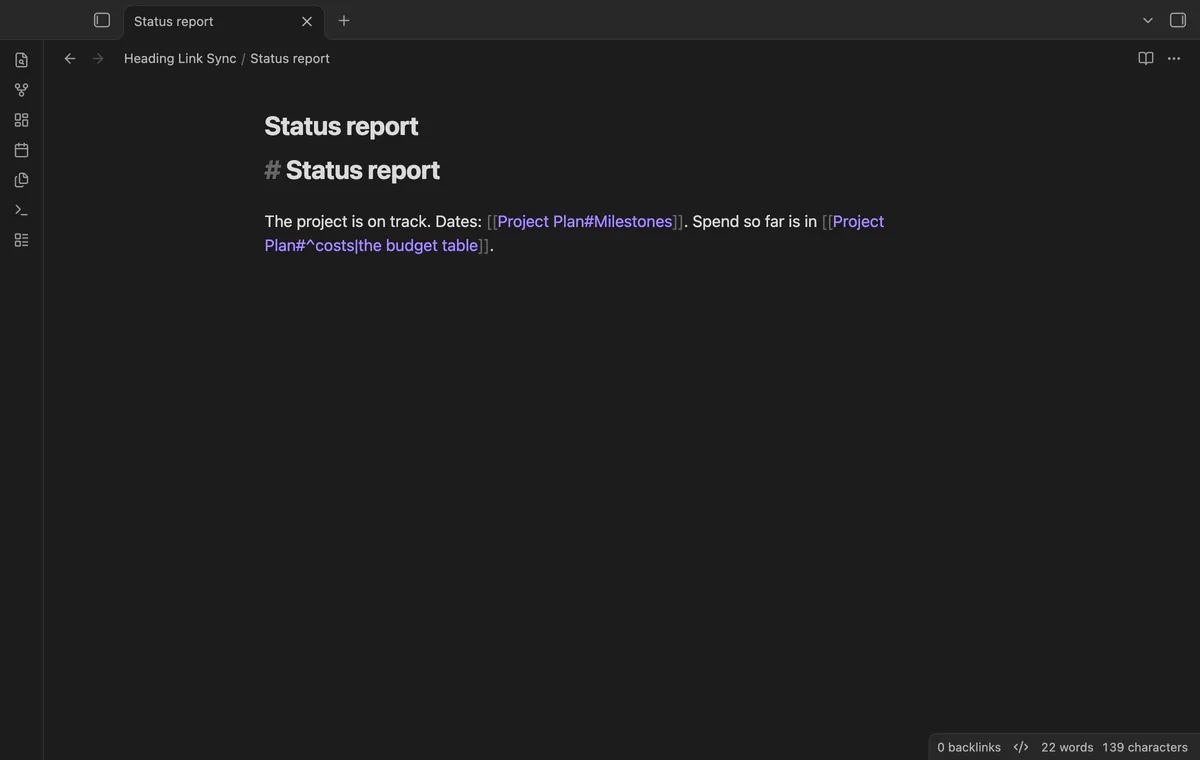

Links with an alias, embeds, links inside the same note, nested heading paths and wikilinks in properties all follow. Links in tables keep their escaped pipe. Links in fenced code, inline code and math blocks never change.
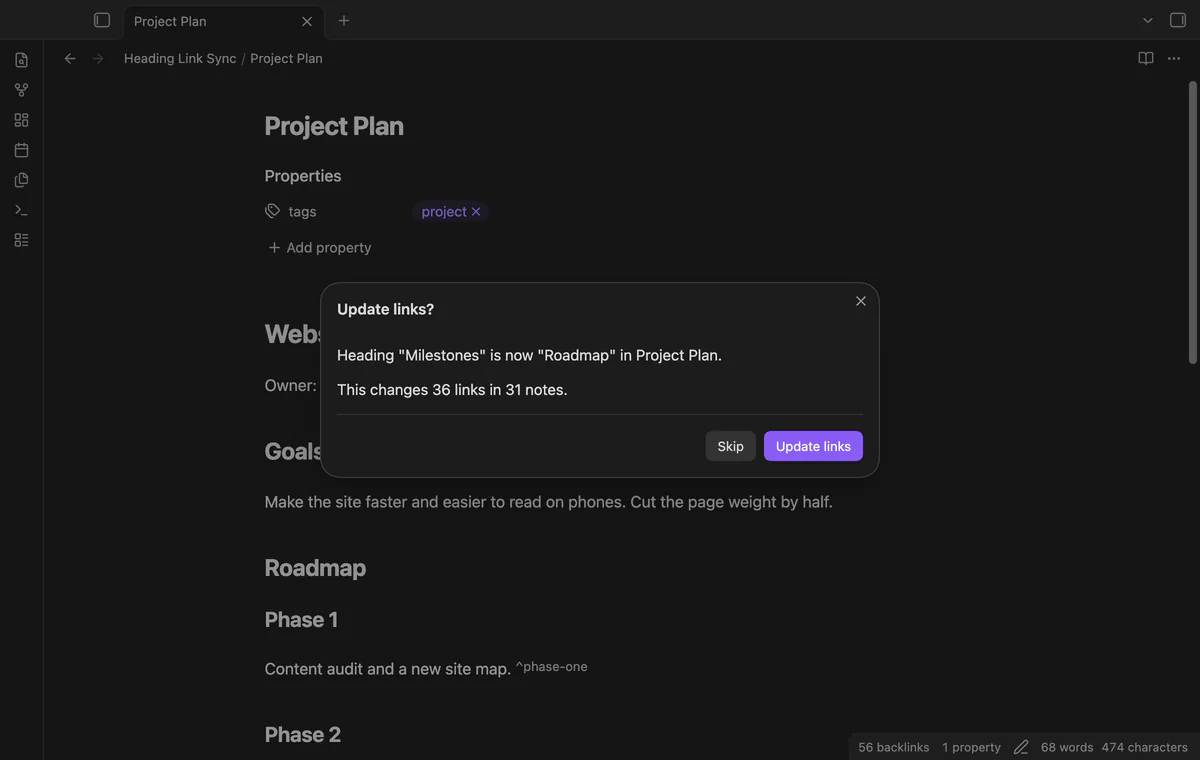
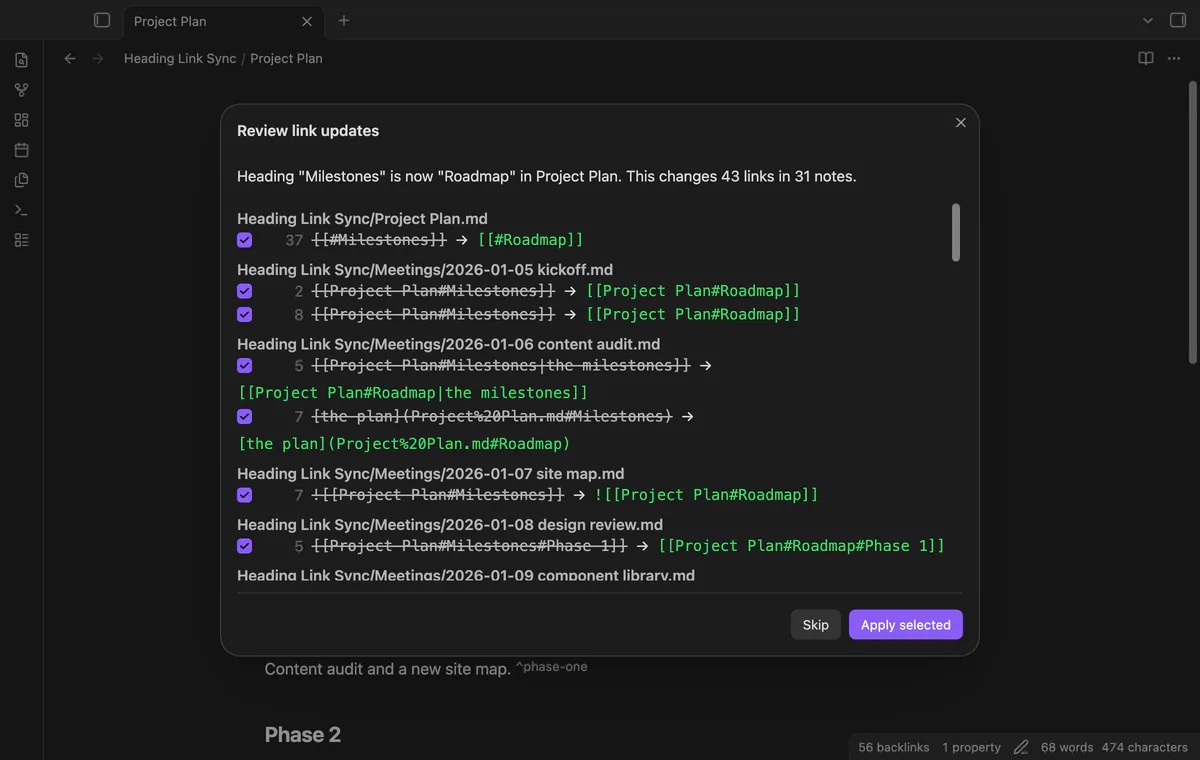
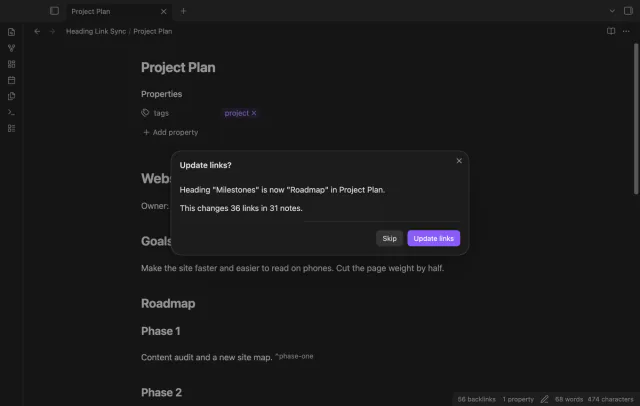
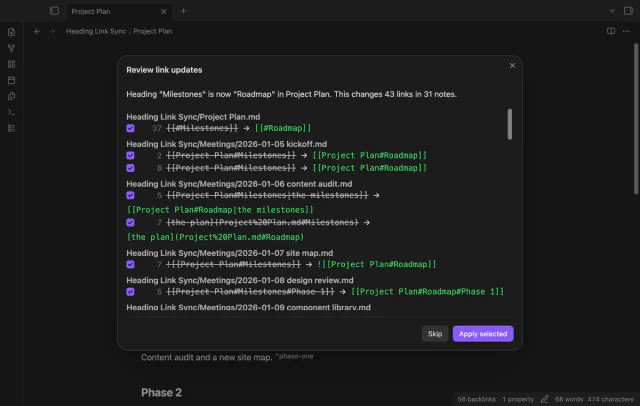
Set "When a heading changes" to "Ask first" if you want to confirm each update. The dialog names the old and new heading and the number of links and notes. Skip leaves every note as it is.
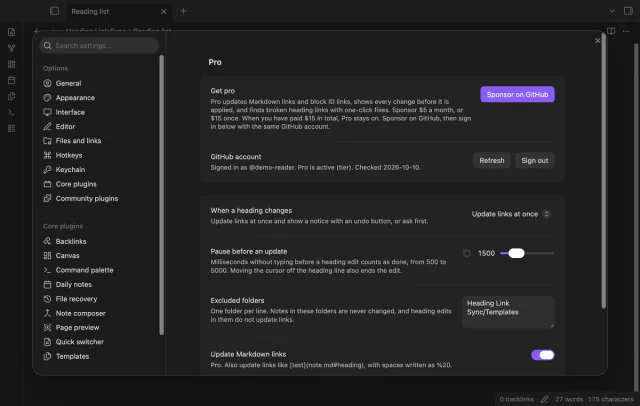
List folders in the settings, one per line, and notes in them are never changed. Heading edits in those folders don't update other notes. Use it for templates and archives.
The free version updates wikilinks and embeds only, and the notice says how many Markdown links it did not change.
Pro costs $5 a month or $15 one time through GitHub Sponsors. One sponsorship turns on Pro in all 15 plugins.
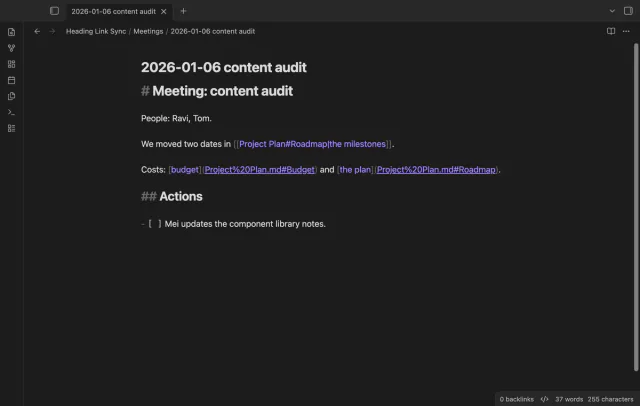
Pro also updates Markdown links that point to a heading. It writes spaces as %20, as the app does when it makes a Markdown link. Links in angle brackets keep raw spaces, and fully encoded links stay fully encoded.
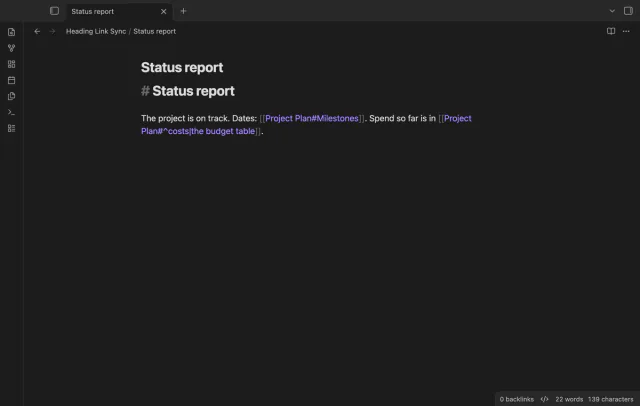
Edit a block ID at the end of a paragraph or under a table, and Pro updates every link and embed to it. Block IDs match in any letter case, as in the app.
With Pro, "Ask first" shows each change with the note, the line, the old link and the new link. Clear a check box to keep one link as it is, then select "Apply selected".
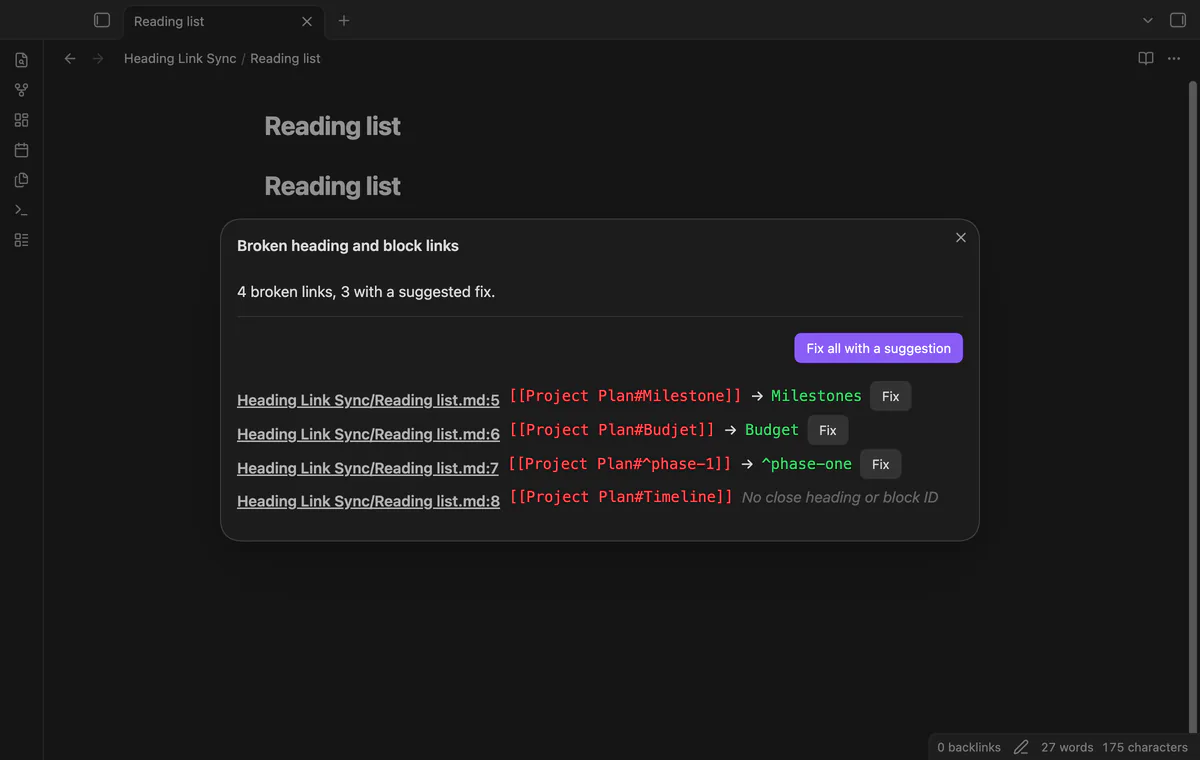
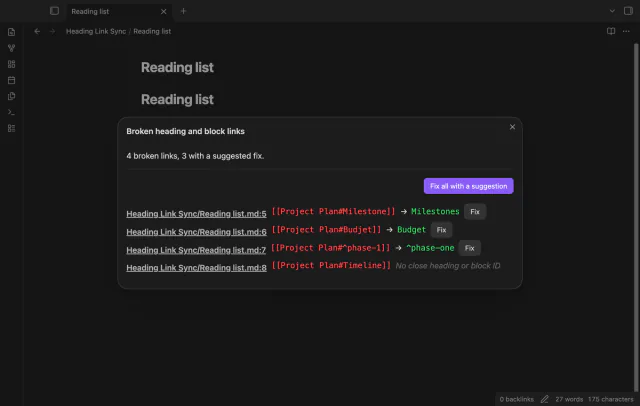
The command "Find broken heading and block links" lists every link whose note exists but whose heading or block ID doesn't. For each one it suggests the closest heading or block ID in that note. Fix one link, or fix all that have a suggestion.
needs
steps
Turn on the plugin.
Open a note that other notes link to, and type over the text of one of its headings.
Move the cursor to another line, or stop typing for a moment.
Read the notice, and select Undo if you didn't want the change.
Forum topic 25412 asks for links to headings and blocks to update inline, with no extra dialog window. It has 80 posts, 351 likes and 136 votes.
Obsidian has the "Rename this heading" command, but it opens a dialog and you must remember to use it before you edit. Heading Link Sync works on the edit you already made. Both can live side by side.
Yes. Undo puts back the exact text of every changed link, even if you edited other parts of those notes since. The command "Undo the last link update" does the same.
The links follow the half-typed text, then follow again when you finish. Raise the pause in the settings if that happens often. The pause can be 500 to 5000 milliseconds.
A plain link goes to the first one, and Heading Link Sync follows the same rule. If a rename would send an old link to a different heading, the plugin adds the parent heading to the link. If no such path exists, it leaves the link alone and says so.
No. The plugin acts only on edits that you make in the editor, not on changes from sync tools or git. A change of letter case alone isn't a rename, because every link still works.
Heading Link Sync makes no network requests until you select "Sign in with GitHub" in the settings. After sign in, it asks GitHub whether your account sponsors theluckystrike, at most once every 7 days or when you select Refresh. It sends no note content, file names or other vault data, and it has no telemetry.
Heading Link Sync 1.0.0, MIT license
MIT · no telemetry · core features free
One outline for a note built from embeds, with each chapter's headings under its embed.
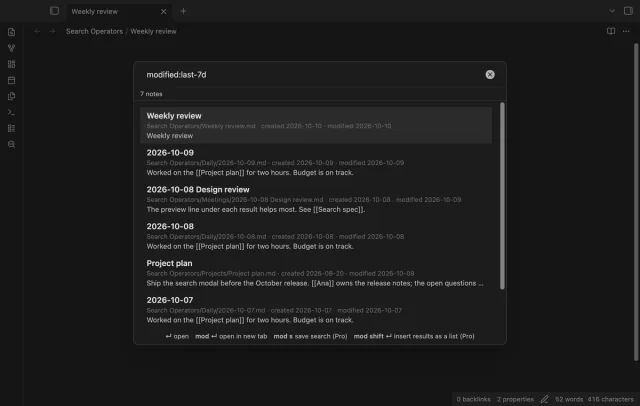
Find a note by when you made or changed it and by what it links to, with a preview line per result.
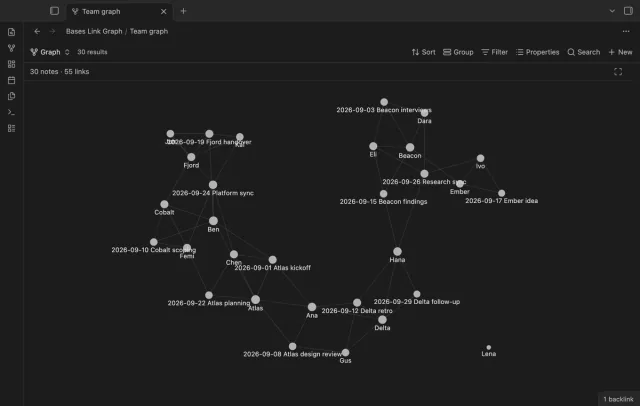
Filter a base, and the graph shows only those notes and the links between them.