Heading Link Sync
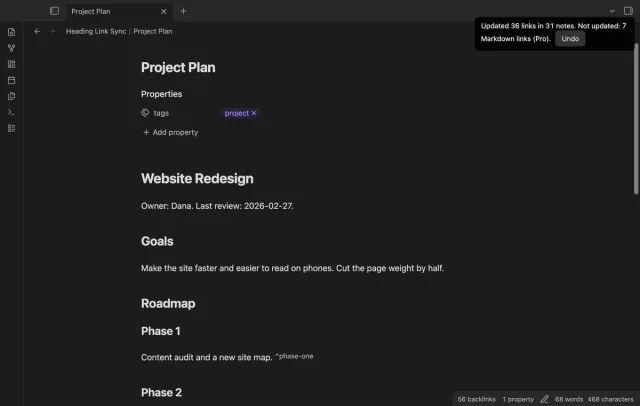
Retype a heading and every link to it in your other notes follows, with no rename dialog.
One outline for a note built from embeds, with each chapter's headings under its embed.
MIT · no telemetry · core features free
Tested on desktop with Obsidian 1.13.4 and 1.14.4. It uses no desktop-only features.
Directory facts fetched from community.obsidian.md/users/theluckystrike.
Writers who keep a book, a thesis or a project page as one overview note that embeds the other notes.
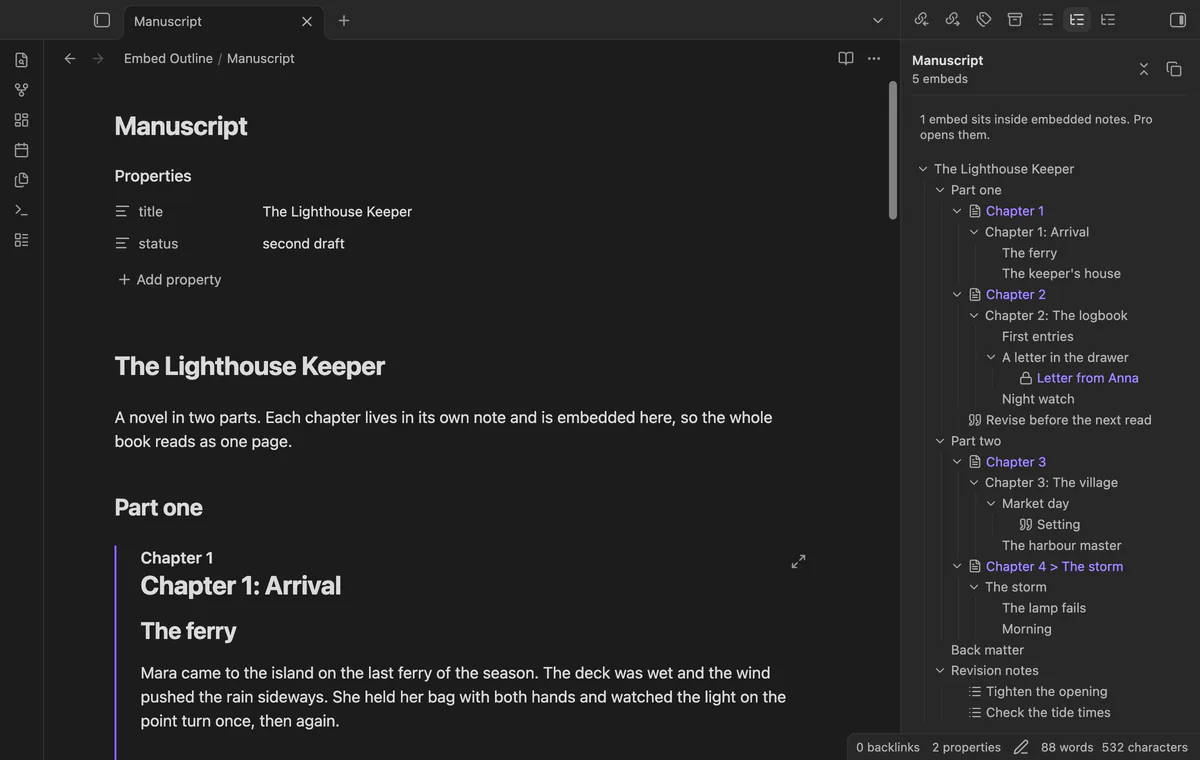
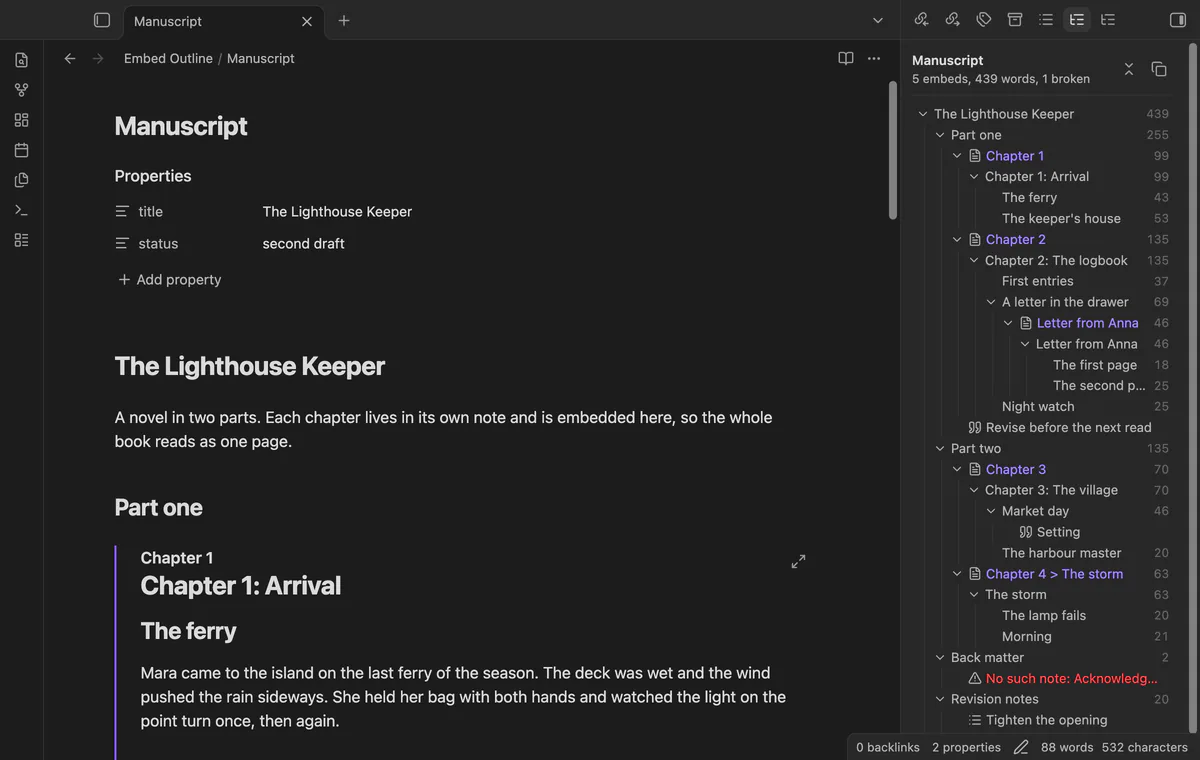
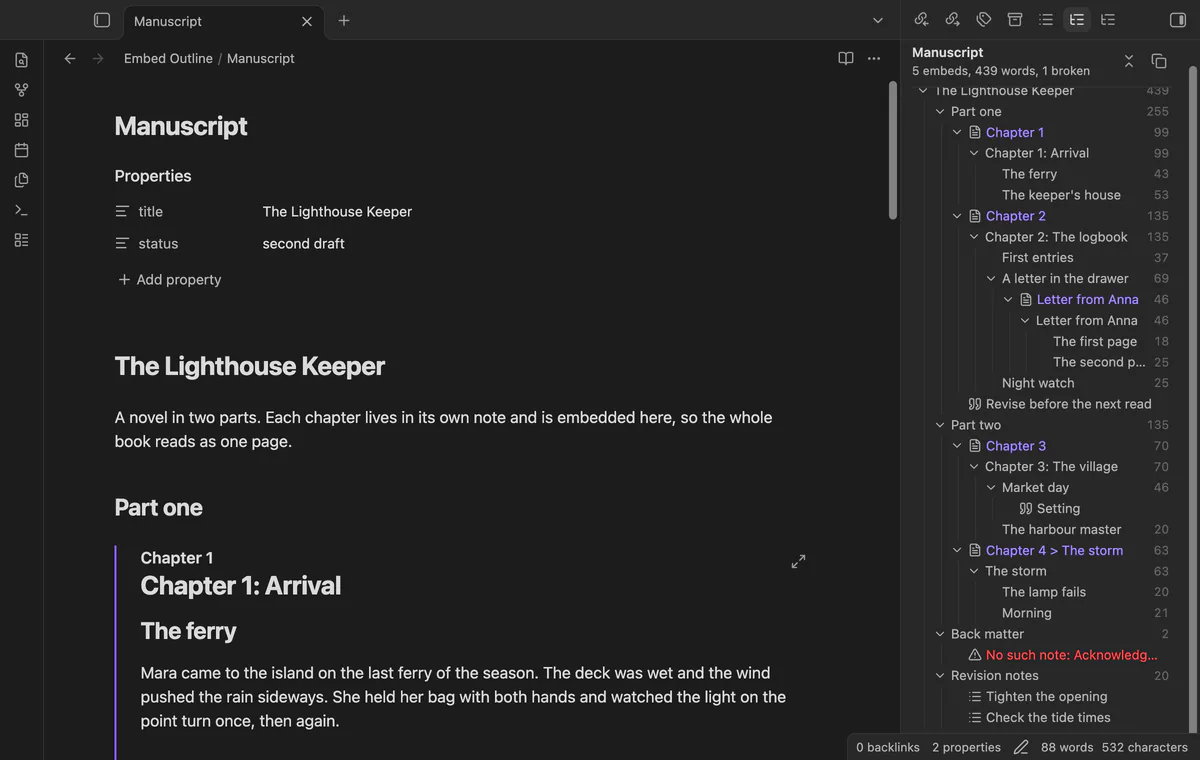
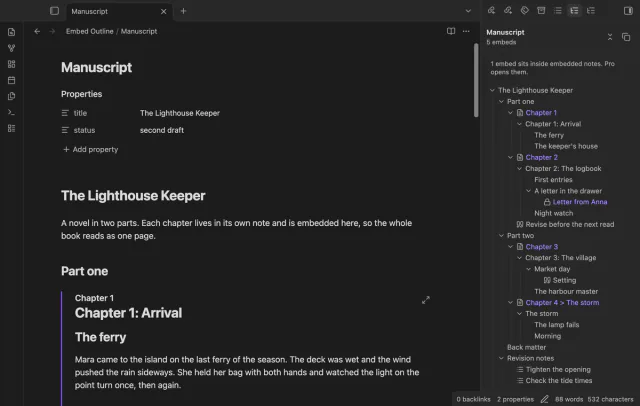

The core Outline lists only the headings of the note itself. When a note is mostly embeds of chapter notes, that outline is almost empty. Embed Outline puts the headings of each embedded note under its embed, in the order you read them.
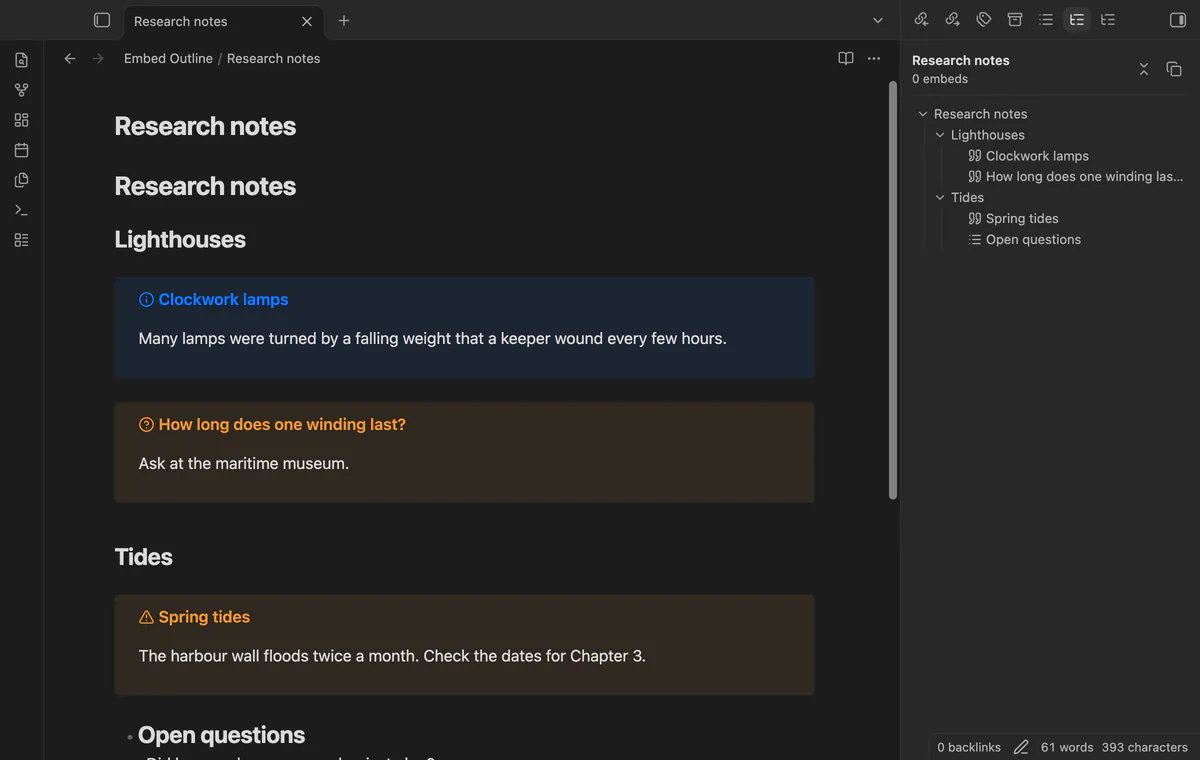
It also adds callout titles and headings that sit inside list items. The plugin only reads your notes. It never changes one.
 Play demo
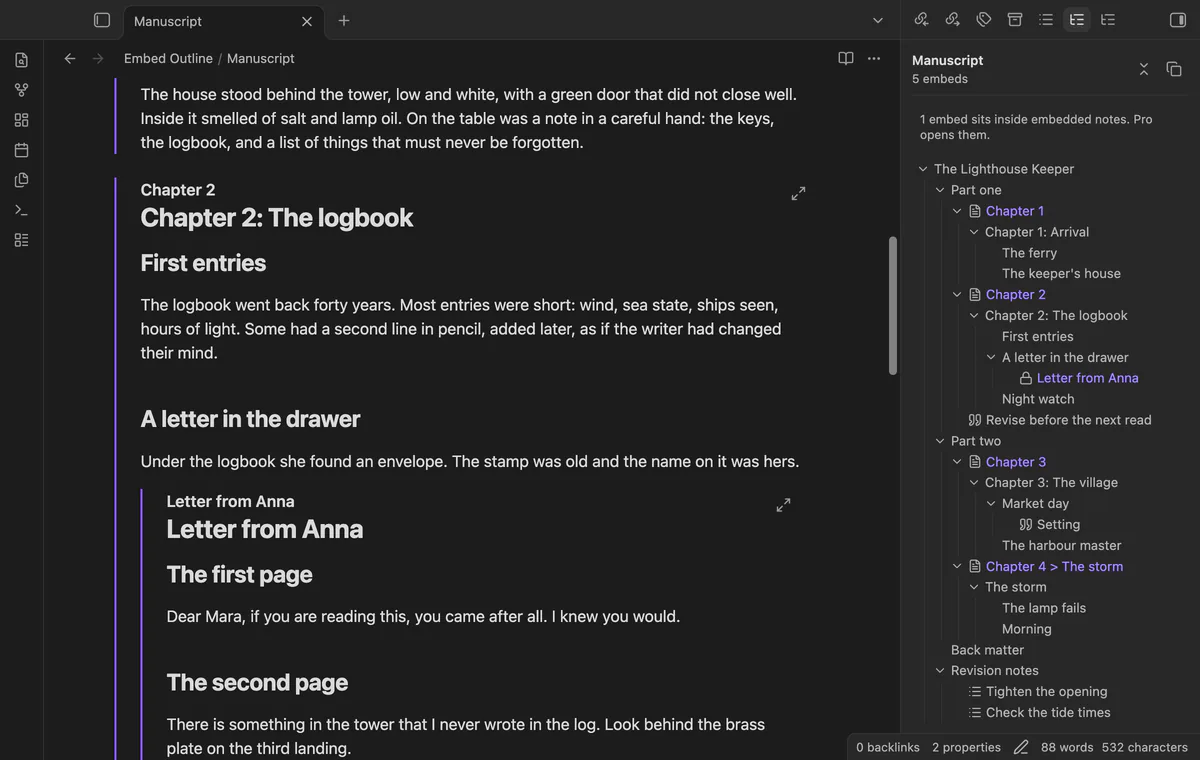
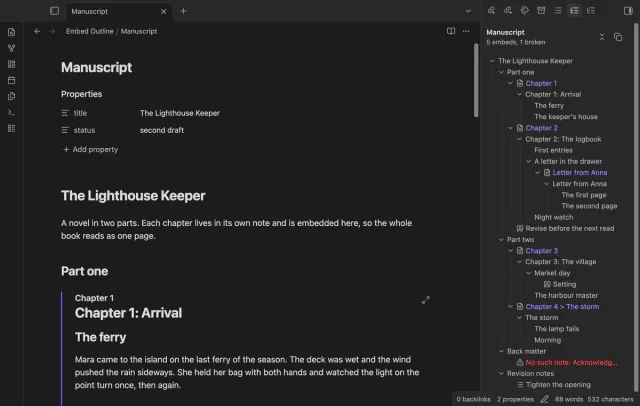
Each embed gets a row with the name of the embedded note, with that note's headings under it. The rows sit under the heading of your note that holds the embed. A section embed shows only that heading and the ones below it.
Click a heading of your note and the cursor moves to it. Click a heading of an embedded note and the note scrolls to the embed, then to that heading. Hold Ctrl, or Cmd on macOS, and click to open the embedded note in a new tab.
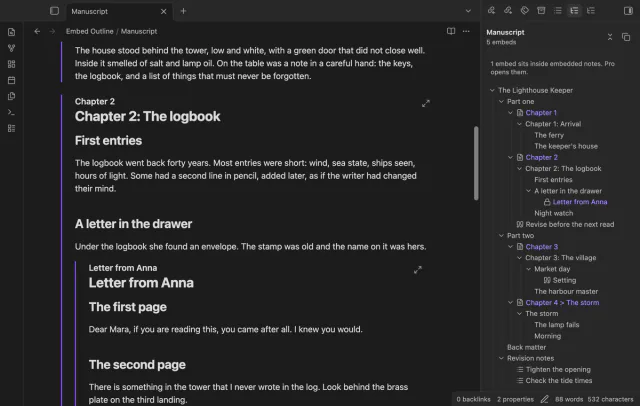
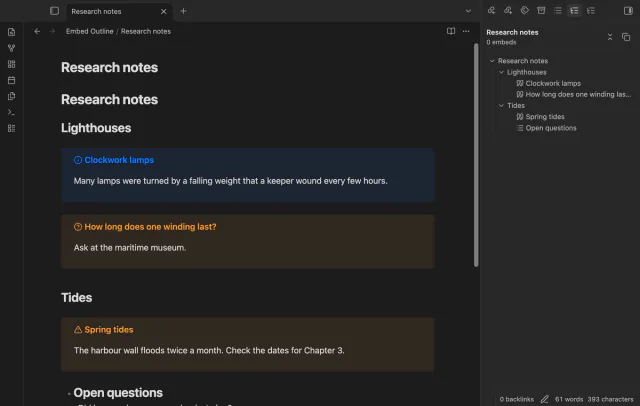
A callout shows as a row with its title, under the heading it sits in. A heading written inside a list item is a row too, which the core Outline never shows. You can turn both off in the settings.
The free outline opens the embeds of the note itself, and an embed inside an embedded note shows as a locked row.
Pro costs $5 a month or $15 one time through GitHub Sponsors. One sponsorship turns on Pro in all 15 plugins.
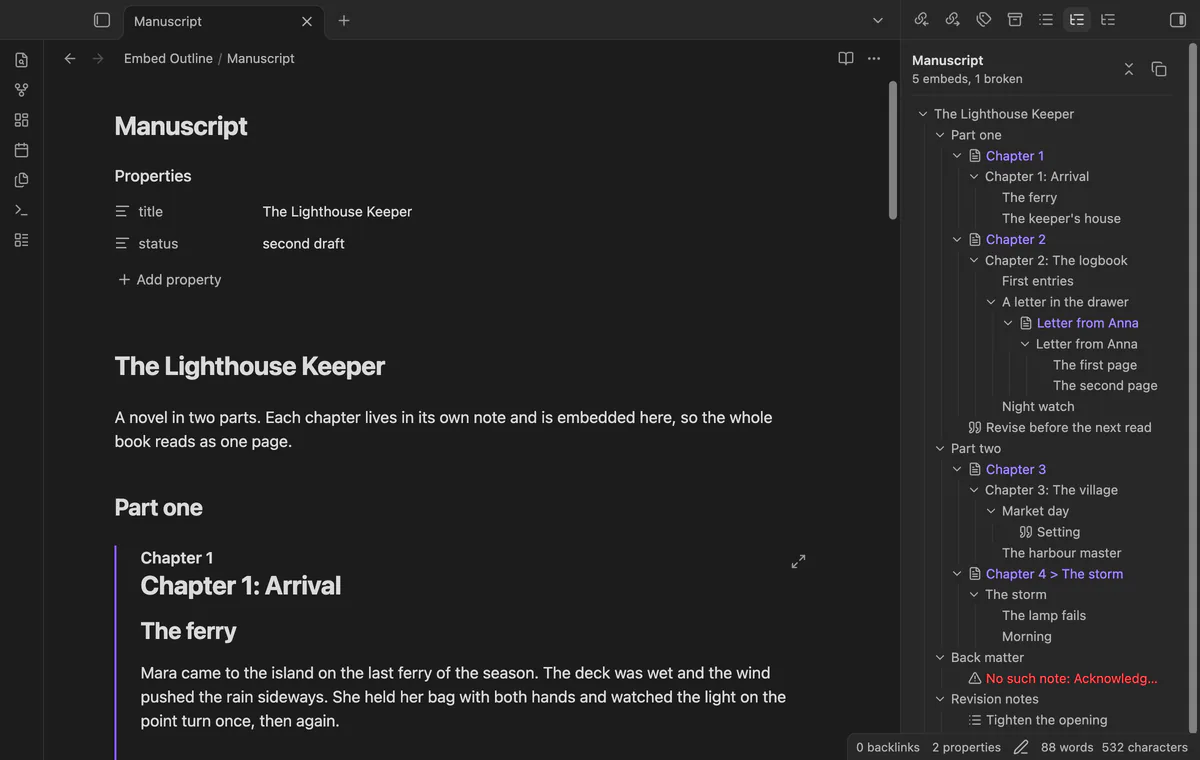
Without Pro, an embed inside an embedded note shows as a row with a lock. Pro opens them down to 5 levels. You set the depth in the settings.
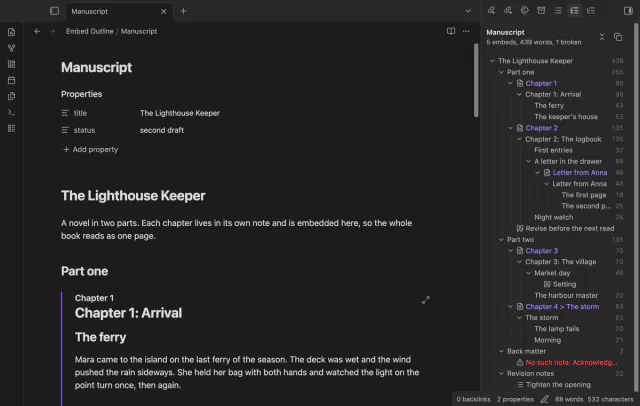
Pro shows the number of words next to each heading and each embed, with the embedded text counted. The top of the panel shows the total for the note. Code, comments, front matter, URLs and callout markers don't count.
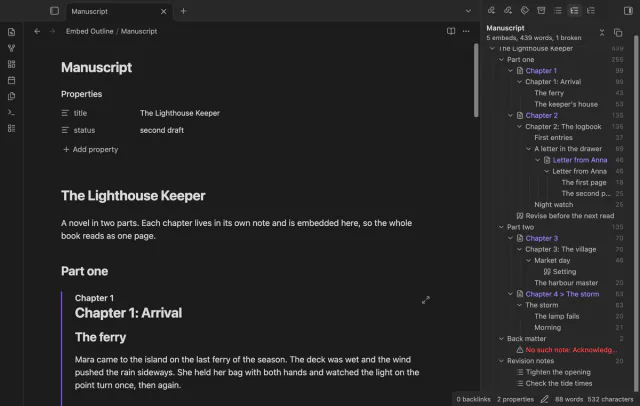
Pro marks an embed whose note, heading or block ID doesn't exist. It also marks an embed that ends up embedding itself. Without Pro, these embeds are left out of the outline.
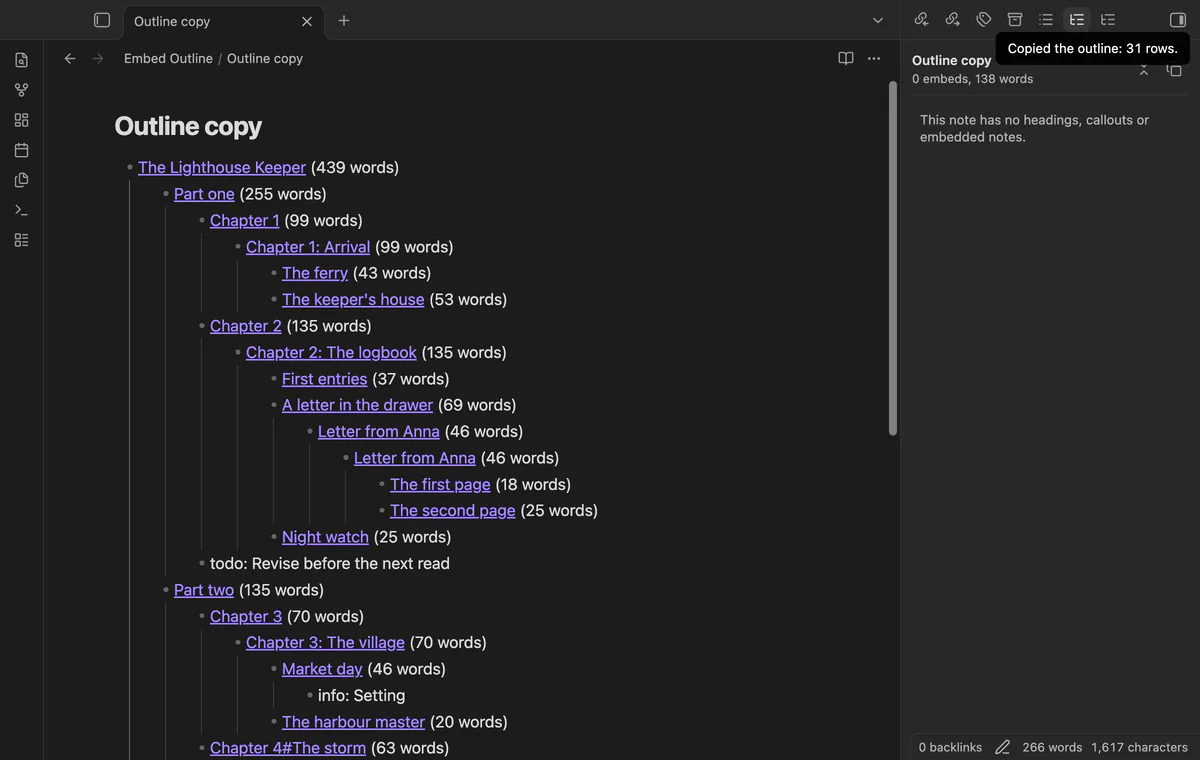
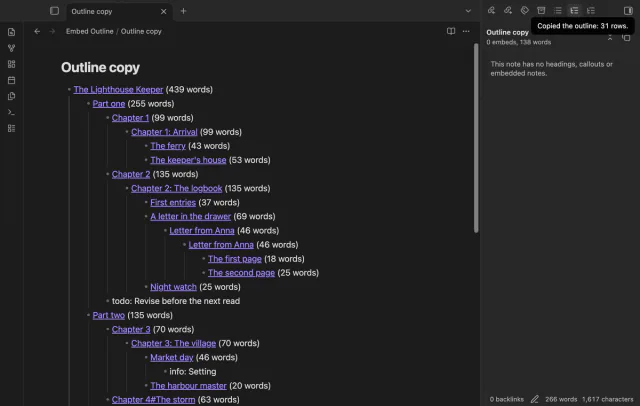
The copy button puts the outline on the clipboard as a nested list. Each heading becomes a link to the note it comes from, with the word count when counts are on. Paste it into a note for a table of contents with links that work.
needs
steps
Turn on the plugin. The outline gets a tab in the right sidebar.
Open a note that embeds other notes.
Select the Embed outline tab, or run the command Open the outline panel.
Click a row to go to it.
A forum request for embedded headings in the Outline has 27 votes and has been open since 2021-07-20. Two related requests, for callout titles and for headings inside lists, have 21 and 18 votes.
How to show headings from embedded notes in the Obsidian outline
The core Outline lists only the headings of the note itself. Embed Outline adds the headings of each embedded note under its embed. Both panels can be open at the same time.
No. Embed Outline only reads your notes, and it never changes a note. The Pro copy puts the outline on the clipboard.
It reads the open note and the notes it embeds from the app's cache, and nothing else in the vault. It stops at 400 notes and 5,000 rows. So a loop of notes that embed each other can't freeze the app.
The outline follows the note that you opened last. It updates about a third of a second after you change that note or a note it embeds.
Embed Outline makes no network requests until you select Sign in with GitHub in its settings. After sign in, it asks the GitHub API about your sponsorship at most once every 7 days, or when you select Refresh. It sends no note content, file names or other vault data.
Embed Outline 1.0.0, MIT license
MIT · no telemetry · core features free
Retype a heading and every link to it in your other notes follows, with no rename dialog.
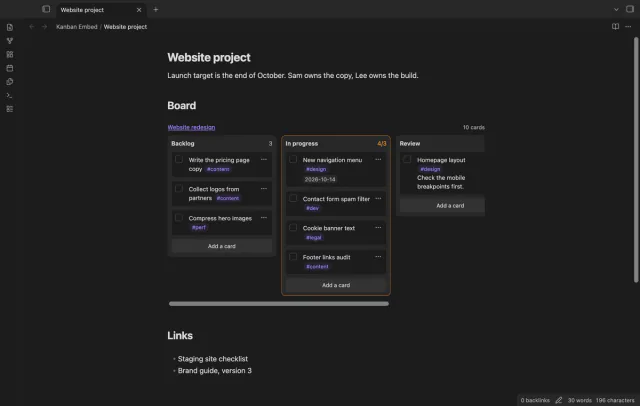
Put a Kanban board in a project page or a daily note and check off cards right there.
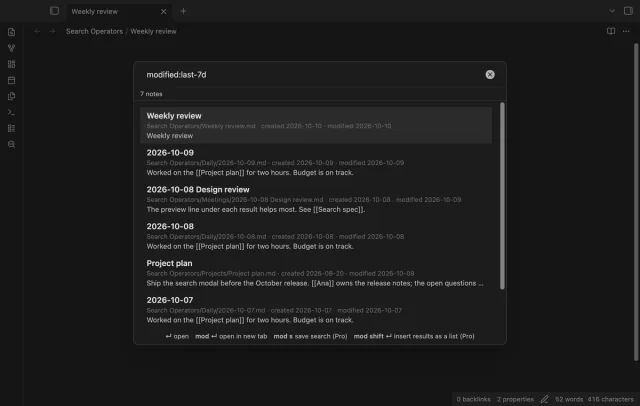
Find a note by when you made or changed it and by what it links to, with a preview line per result.